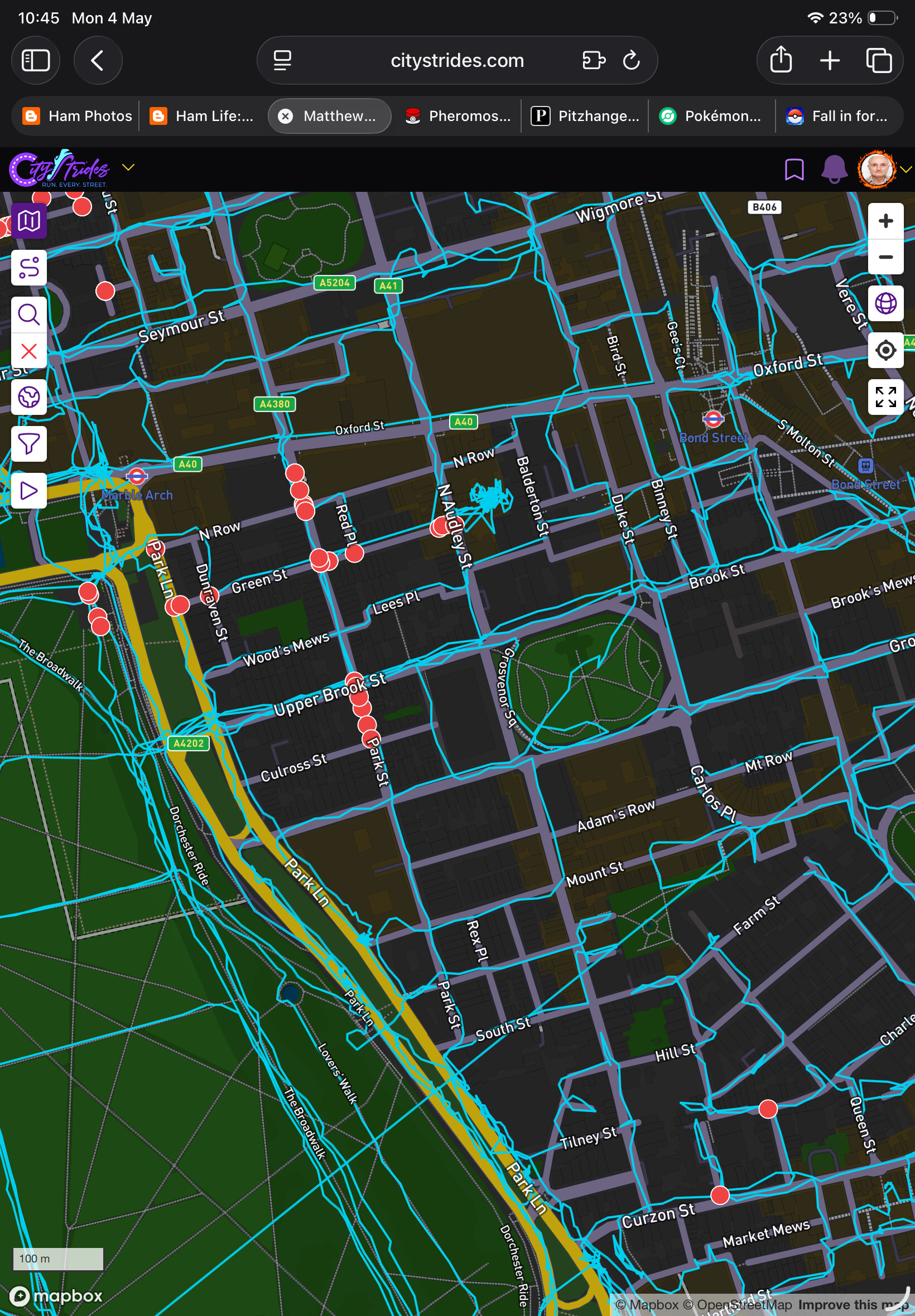
Walking through less travelled parts of Greater London yesterday, specifically adjacent part of the boroughs of Westminster and Brent, to clear more red dots I found several in roads that I had clearly walked. The picture below is my current view of part of Westminster and almost all of the red dots shown here are on walked routes.
Checking a sample street, Park Street, it is included in the completed streets and when I go there all the nodes are purple.
I think this is caused by an ongoing sync failure.
Step 4 of the city sync failed, then successfully retried … but that retry seems to not register with the overall batch. I’m trying to think of how I can get things going again.
Thanks. The current situation is manageable because the completed roads count is right and the erroneous red dots are obvious by the blue lines going through them but it would be nice to get it fixed.
[Still cannot upload photo, says Loading 0% and sticks there]
The LifeMap shows some red dots when I would not have expected any, e.g. on has a route line running through it. The red dots do not worry me that much but I am concerned that the street (Lamb’s Buildings) is shown as incomplete.
Do I need to walk there again or will this resolve itself in a future update?
Looks like reprocessing your activities fixed that up.
There are 4 streets there that had incorrect node counts, which would also cause issues … I’ll finish cleaning that up in a little bit.
If you’re still seeing incomplete nodes for Lamb’s Buildings in Node Hunter, it’s from Greater London. You can click/tap the node to see which street it’s from, to confirm. I need to do a bit of infrastructure work to make it possible to fix that.
 I’m trying to think of how I can get things going again.