I have a very rough proof-of-concept up for Supporters to try out. I’m temporarily naming this Areas … though Territories feels ambitious in a nice way …
This initial version generates and displays a list of all your areas in the left column (bottom on mobile). It’s sorted by size, largest first. Each one has a ‘Show’ button which displays it on the map.
With this rough cut in place, we can start asking more fun questions…
Should the Areas be created/saved when activities are synced, to improve the performance of the main listing page?
Should this Areas page be repurposed for a global view of public Areas, moving our personal Areas into a separate page?
Should more stats be added beyond square mile/kilometer, like max distance (how wide, at its widest)?
Thanks James, great. Are these areas identified by searching for groups of overlapping activities and then calculating a convex hull as discussed at the start of the thread?
I’d love to see areas updated when we sync to get a real time sense of ‘increasing our patch’.
I would definitely like to see kilometers walked in each area, and the ability to order them accordingly.
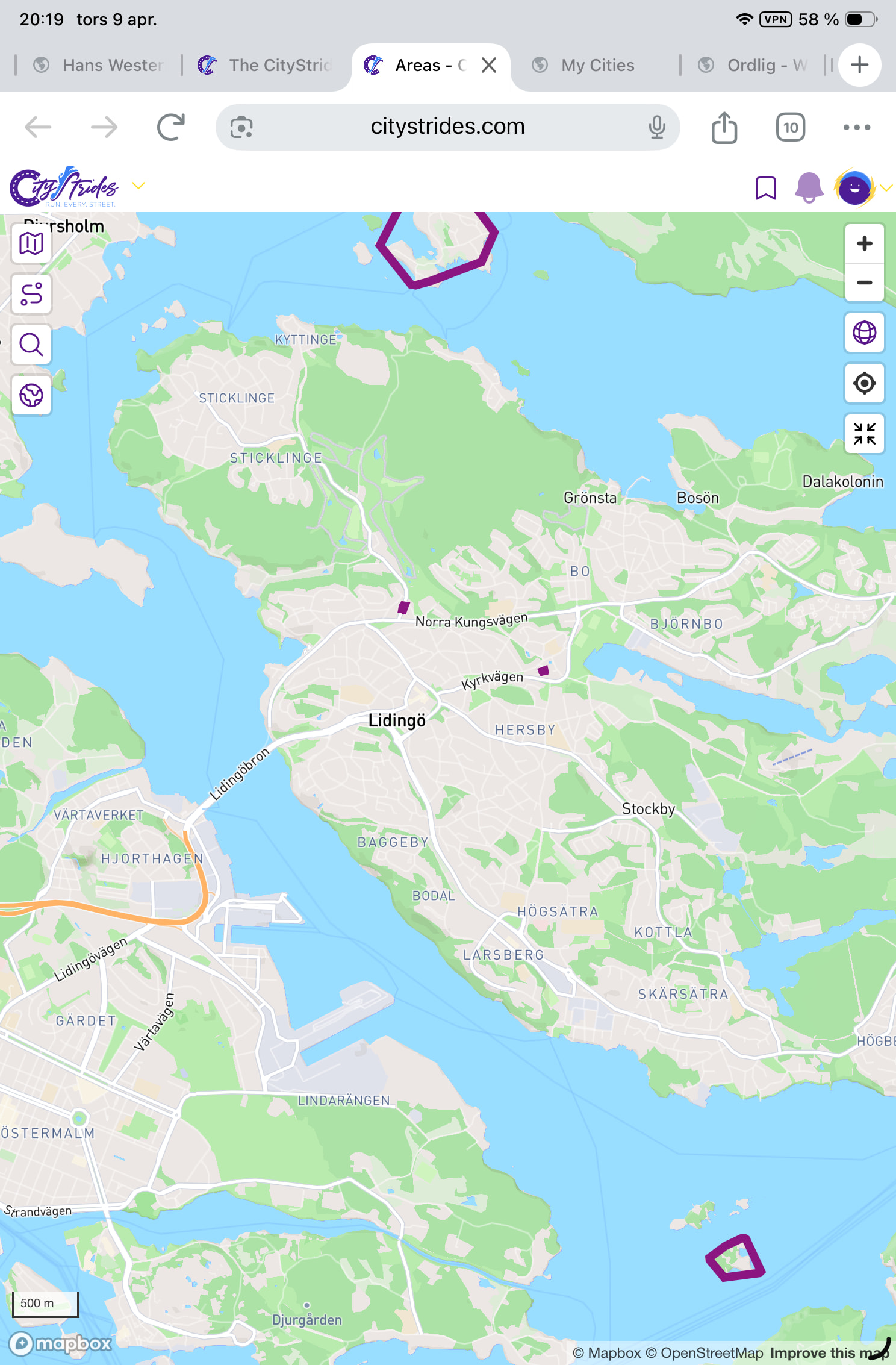
probably, yeah … If you zoom into the area to the right of Stockholm, just above Nacka, that’s its own area because it doesn’t touch anything else. It’s the easiest to spot on your map, because it’s an island.
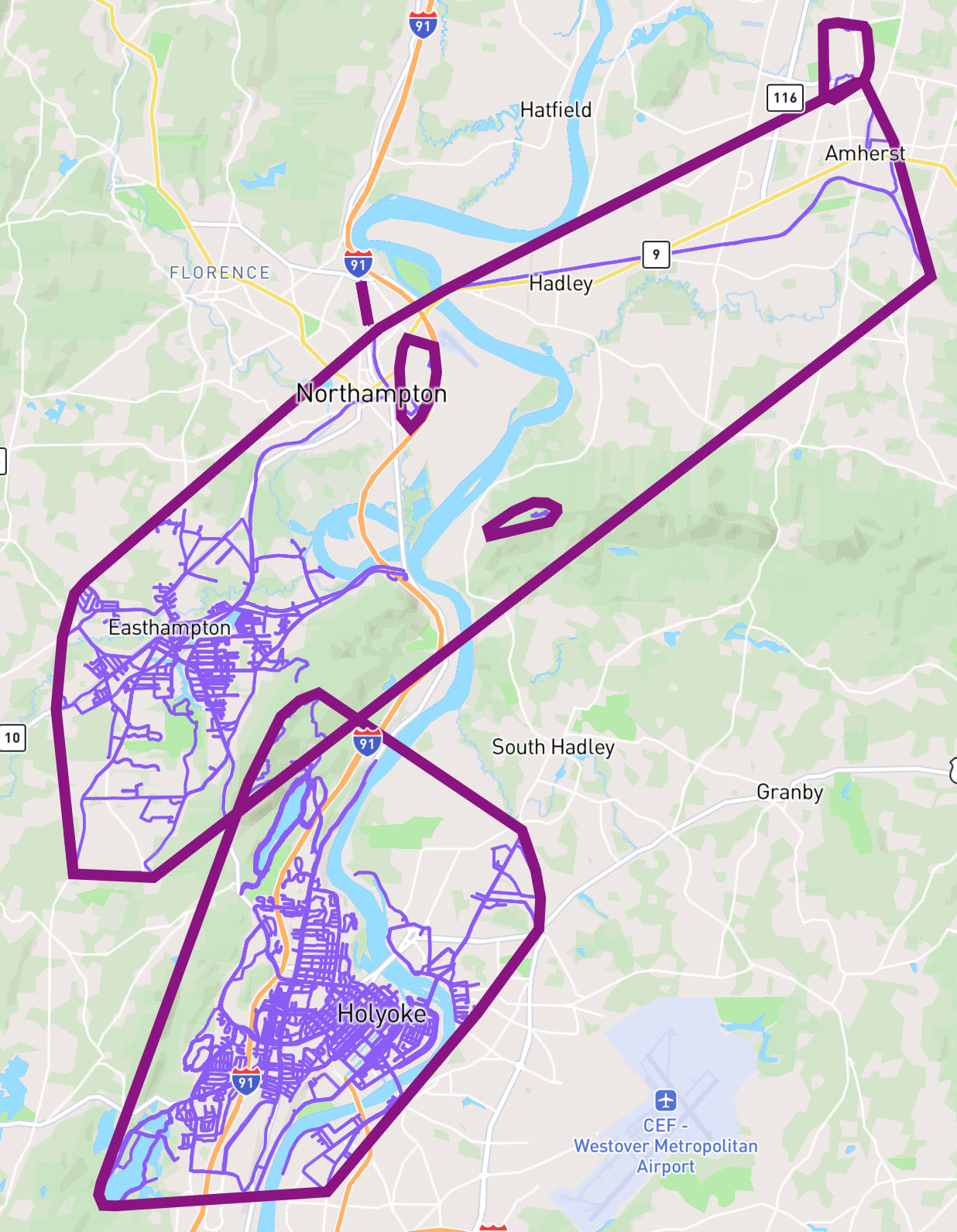
I’ve got a similar thing going on & it’s easier to spot, because I - unlike you - do not run too much
This Areas/Territories thing has me really psyched for an upcoming run that’s going to connect these two large areas/territories together.
I thought about adding a 2km minimum size…
Placing that restriction on my account changes my area count from 23 to 4. I lose sight of smaller places, which cleans up the list view but makes it less obvious where I might have some ‘quick win’ runs to join up smaller areas.
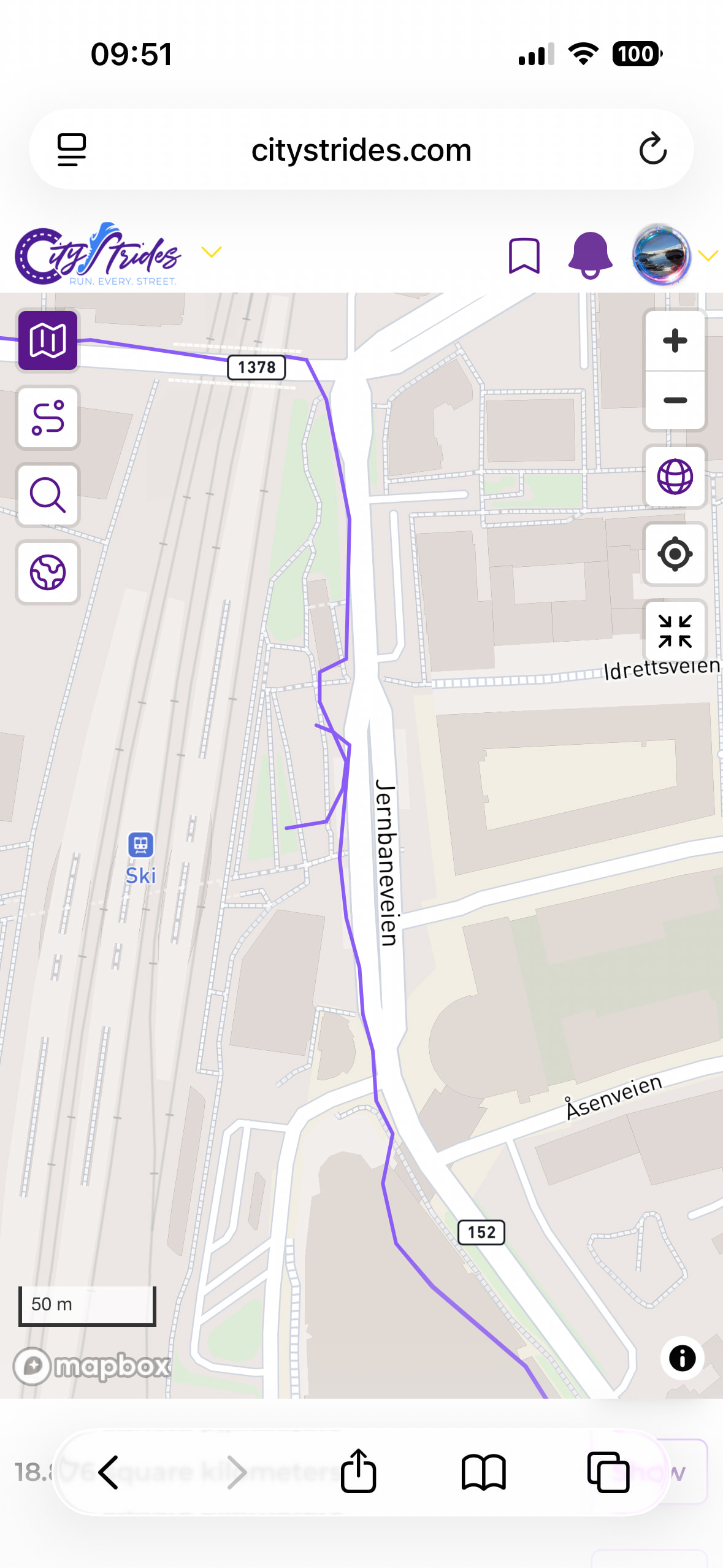
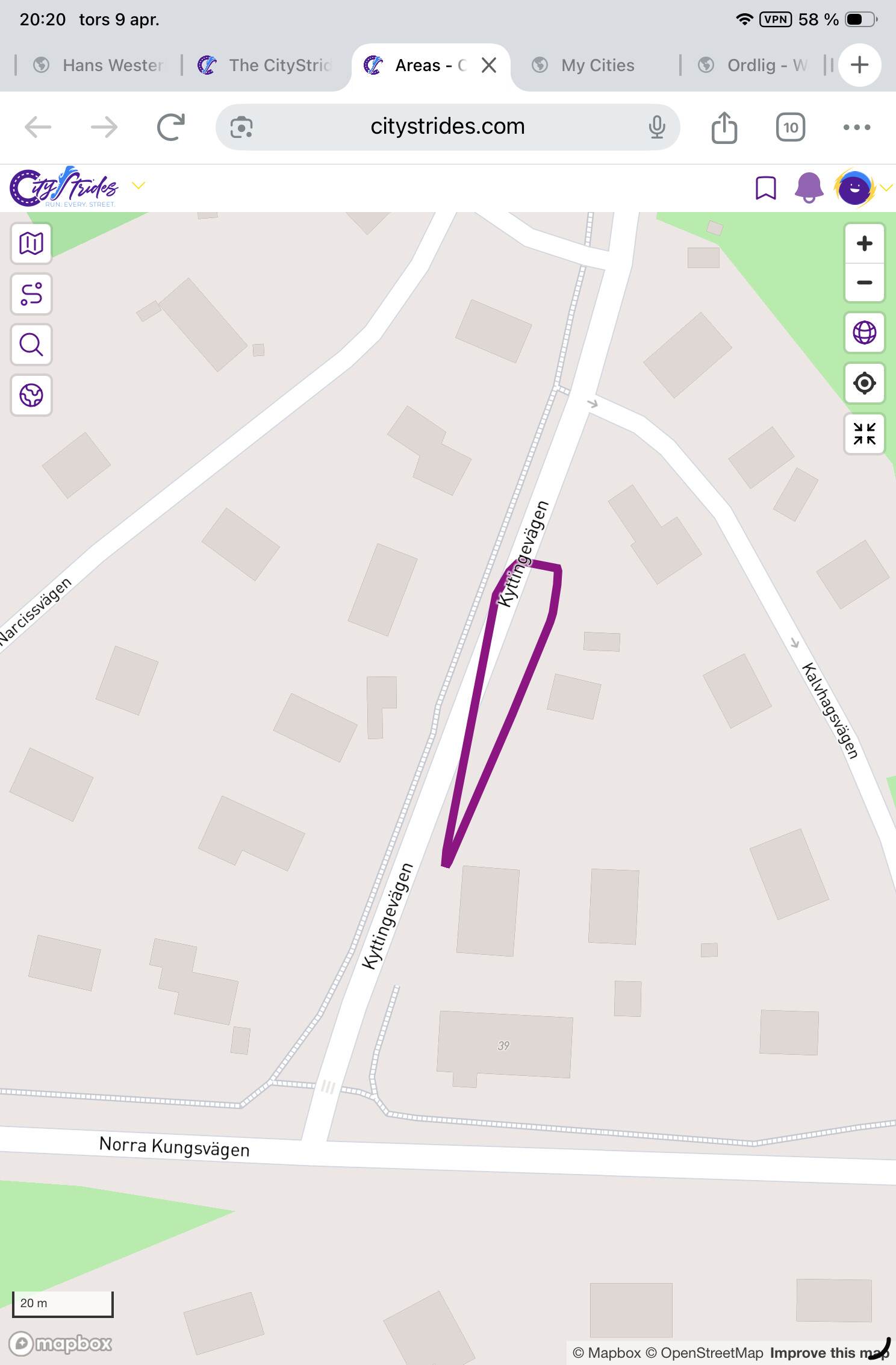
Yes, I get your point. But some areas seem strange, no 25 m gap. Look at these pics, from Lidingö. Zoomed out you see a very tiny area just close to the Norra Kungsvägen. Zooming in and adding my LifeMap there doesn’t seem to be any gap at all to surrounding runs. Oops wrong order, start at bottom
It’s not fully overlapping it, because it’s an out-and-back track & the lower side of the light purple line doesn’t fully overlap both dark purple lines. But my understanding of the query is that any overlap would count, so even though the top side of the light purple line doesn’t cross, the lower side of the light purple line does.
What are the order of the operations? Is the overlap criteria applied to the actual walking data or to the resulting convex hull shape?
If you look for non overlapping walks, and then form the shape I can see how this could easily happen, and is not wrong by that criteria. Although it’s hard to understand what’s going on in Hans’ screenshot, the walks appear to cross the shape boundary.
At first I did not understand this area, was expecting it to enclose all data points from the walk, although zooming in it seems I stopped and restarted my watch part way. Annoying!!
I was hyped by my largest being just under 500 sq. mi., but then curious why the part sticking out the NE side isn’t included…zoomed in a bit closer and realized it’s because the 3 activities that compose that part, all of them are about ~10 meters from actually intersecting the main network so it’s correct!
I feel like I’m missing something obvious, but how do I navigate to Areas? I can’t see anything - on either my phone or my laptop - in either the map view or my home page.
It’s a single database query that collects touching activities and calculates the convex hull for each group and calculates each hull’s size (in square meters, which is recalculated on display to miles/kilometers). I’d expect the collection of activities happens “first” since those are needed to determine their hull.
Very cool! I have always likes “connecting” my runs and areas so nice to be able to view the results more clearly. What exactly defines overlapping runs? I have at times ran from point A to B, then B to C on a different run. Where point B might be a a random train station I don’t plan to visit. Would be annoying if this tiny overlapping part at the train station is off by a few meters. Need to make sure i definitely overlap them from now on
Example: (thankfully these two runs do overlap, but not by a great marigin, a gps drift could have screwed this up)
The overlapping is created by the need / decision to create convex-shaped areas. I imagine it would be very difficult to create if you removed this constraint.
The result is probably pretty close to the same, but my code is collecting the overlapping activities and then applying the convex hull to that collection of data. It isn’t creating a hull for each activity and gathering the hulls together to form the largest hull possible.
The data is stored, and recreated on each newly saved activity. This makes it much faster. I also get to store the total distance within each territory this way.
There’s a Global tab now, but this only includes public accounts - it does not include people set to “Per Activity” because these territories could then expose location information in an unexpected way.
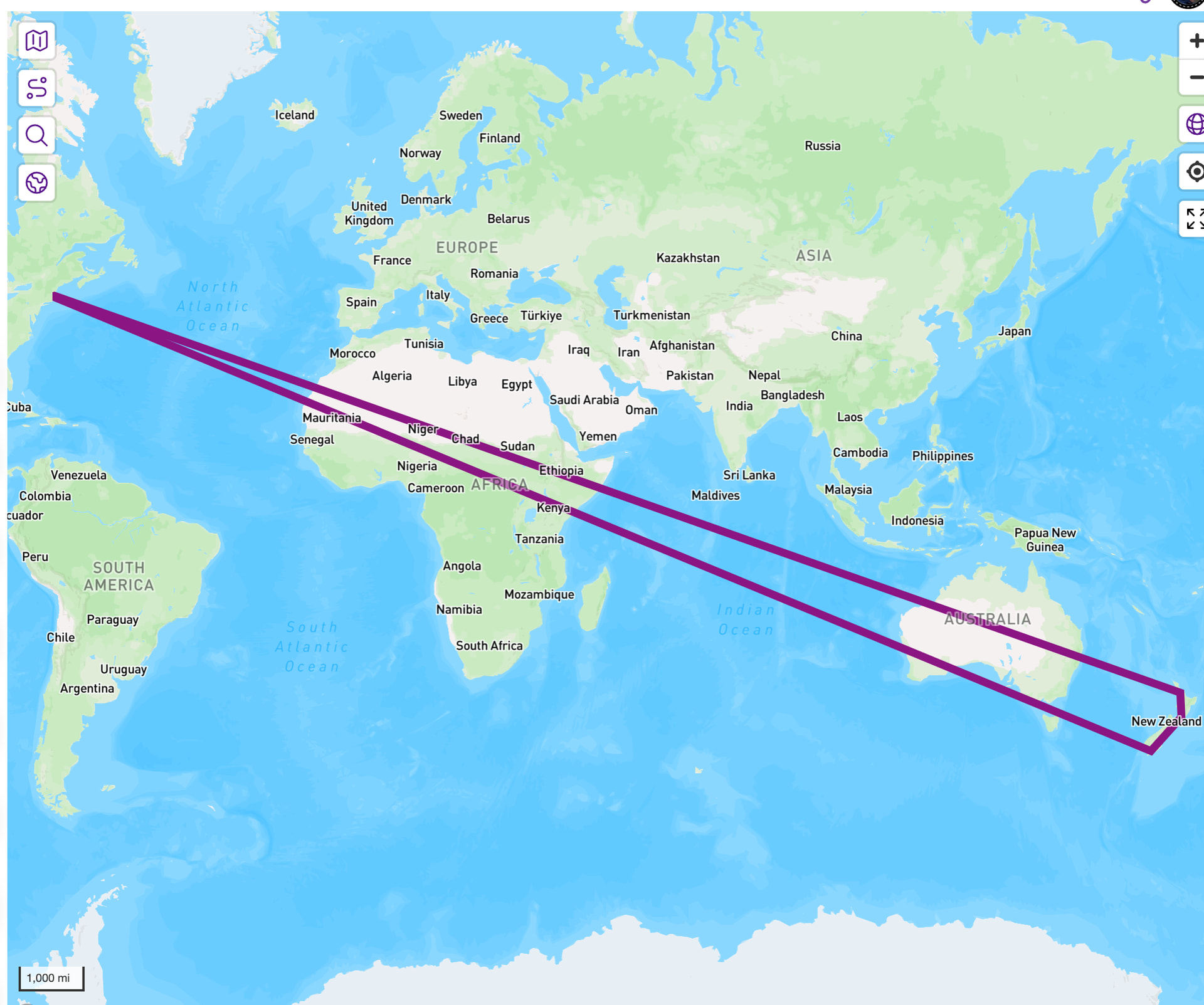
That global tab is showing a heavy light on people who either track plane rides or pause/unpause activities around plane rides.
Yeah, I presumed that’s what it was doing. I didn’t choose my words especially well. Rather than activity, I meant set of connected activities.
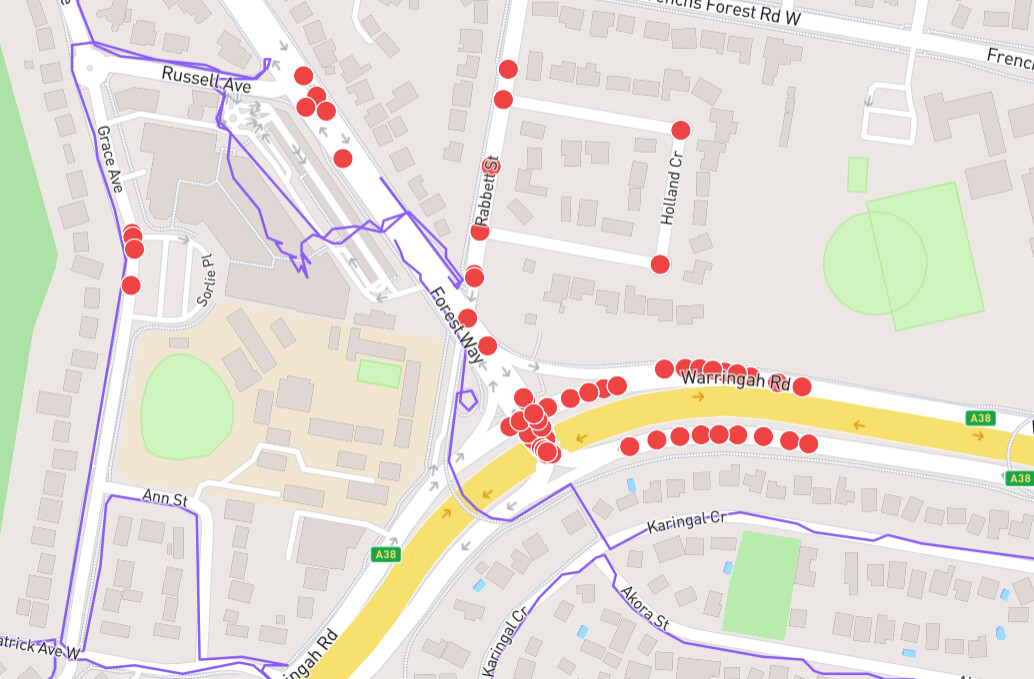
Am I right in thinking the continuity of activities captured in an area requires the purple lines to actually be continuous rather than working on nodes. I was a little surprised to see the activity shown below that goes south of Warringah Road not included in the same area as the group of activities that go west and north. When I zoom in I can see there is a break in the purple lines because, even though I have walked that small section of Forest Way in its entirety, the placement of the bus stops on either side of the road and the pedestrian crossing means I’ve done it on different sides of the road. So there are no nodes in that very local spot I have to complete, but they are not considered as a continuous set of activities for this purpose.
Yes, i have two areas of coastal walking that I did actually plan to joint with a specific walk last summer (before James implemented this). I had a nice day and reached the cove I set out for, but did not go quite far enough and failed to join them by about 30m. Oh well, I’ll have to go back!
Ha ha, well that’s the beauty of software (or any kind of engineering). People use the tools in ways you never intended or anticipated. I suppose you could filter tracks by their physical plausibilty based on speed of travel. In fact this is a tool I’d love to see in the user side of the site, as a way of identifying and cleaning up dodgy gps data points if I go indoors during a walk. I see there are websites that can do this on a gpx file, but I am not interested in manually fixing thousands of walks.
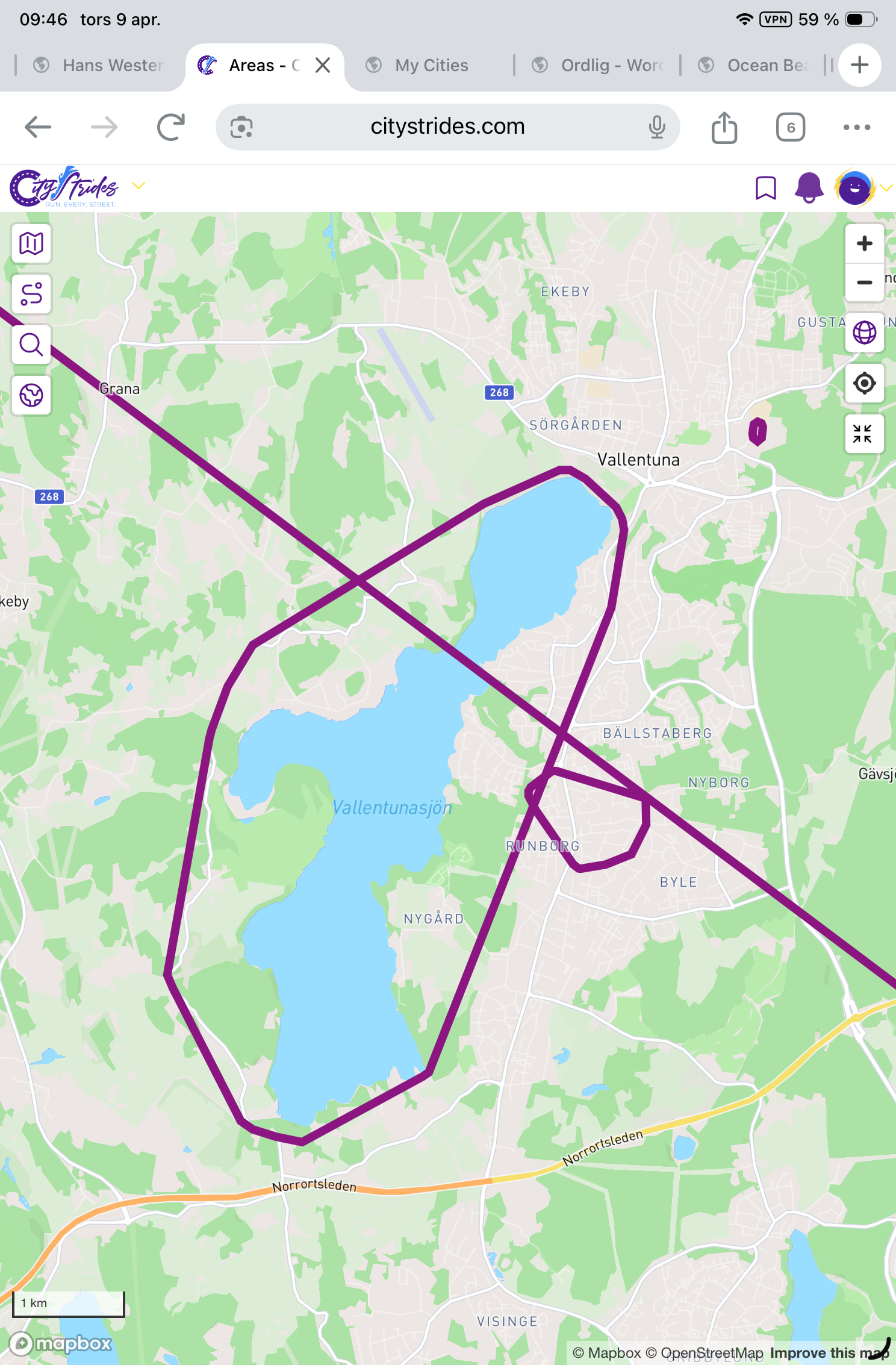
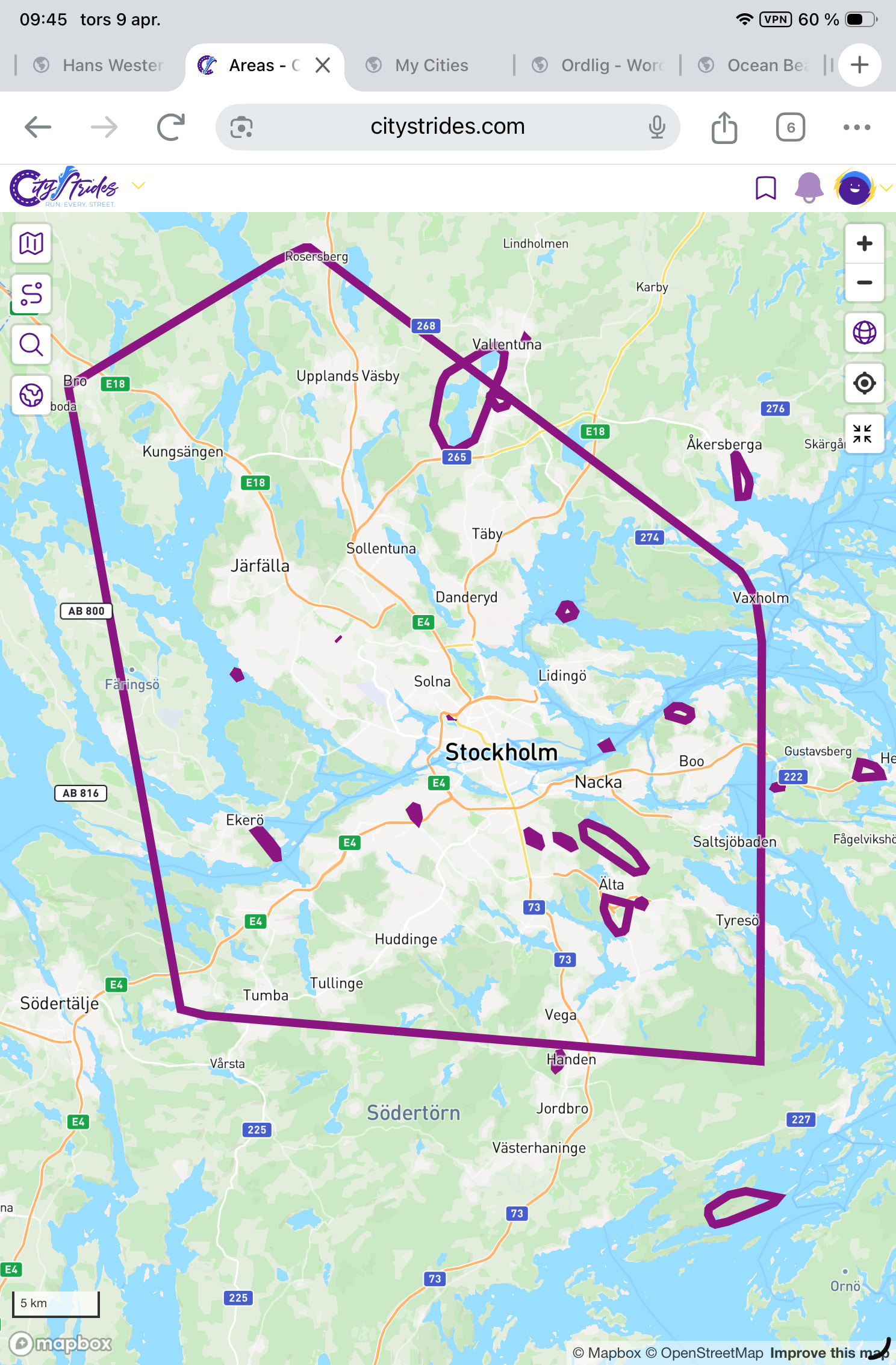
 probably, yeah … If you zoom into the area to the right of Stockholm, just above Nacka, that’s its own area because it doesn’t touch anything else. It’s the easiest to spot on your map, because it’s an island.

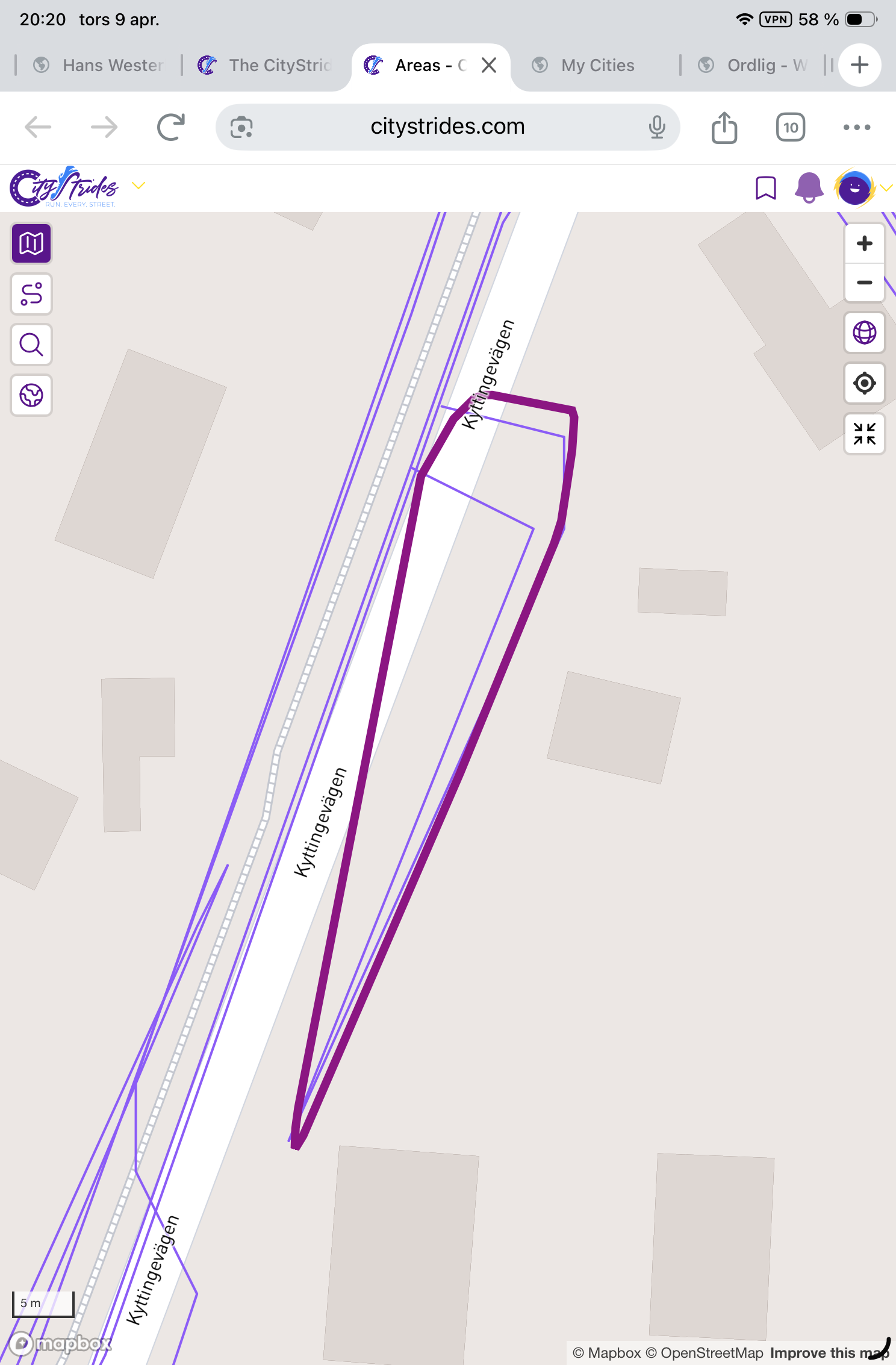
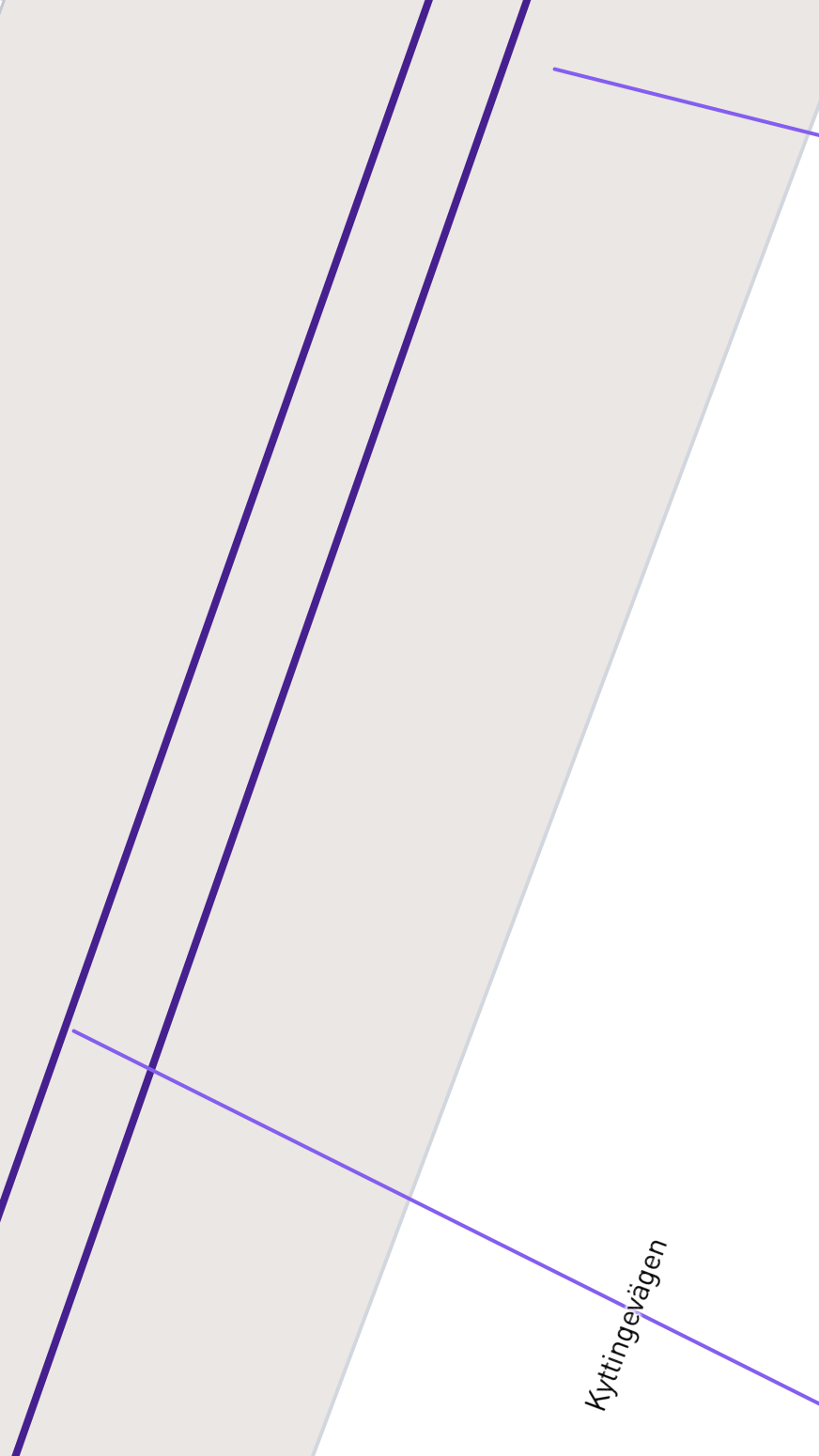
 But my understanding of the query is that any overlap would count, so even though the top side of the light purple line doesn’t cross, the lower side of the light purple line does.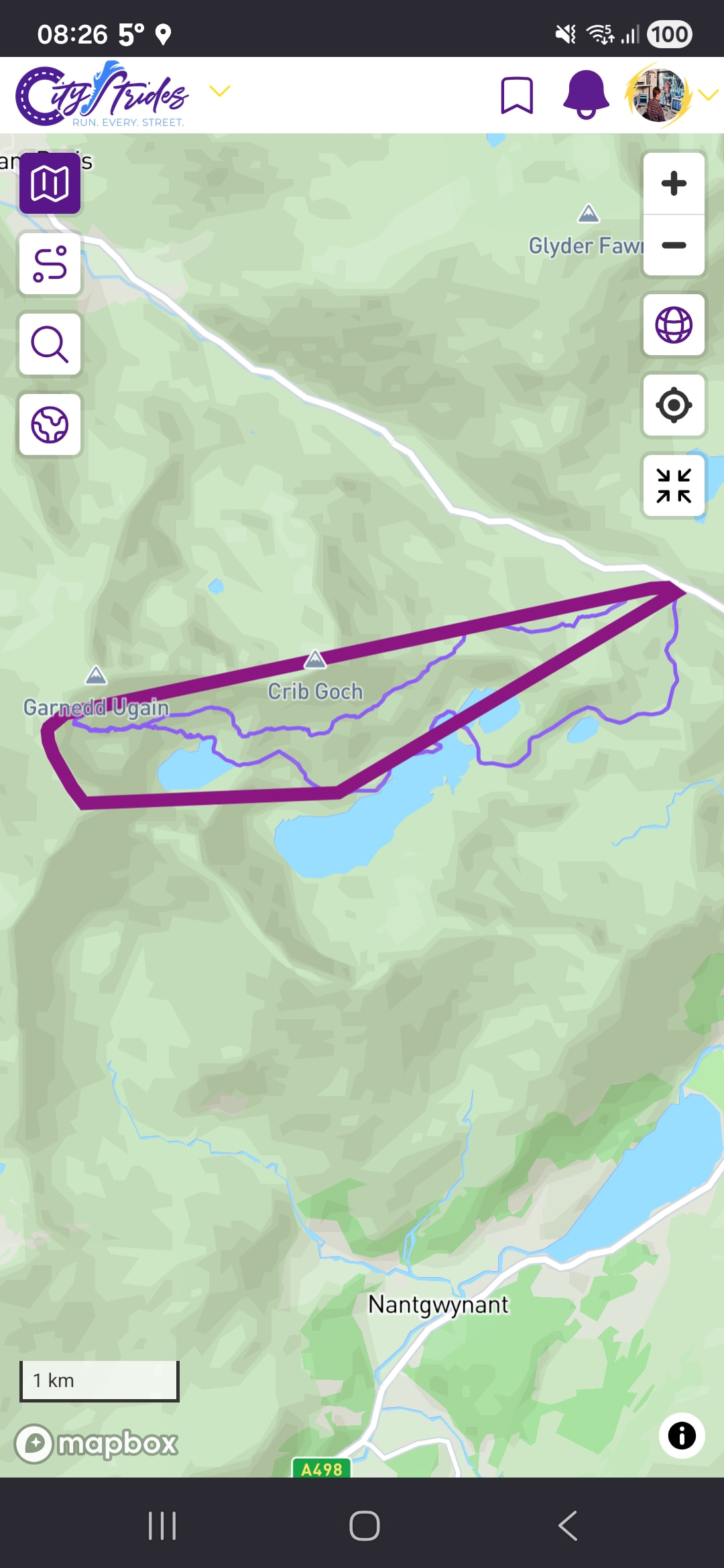
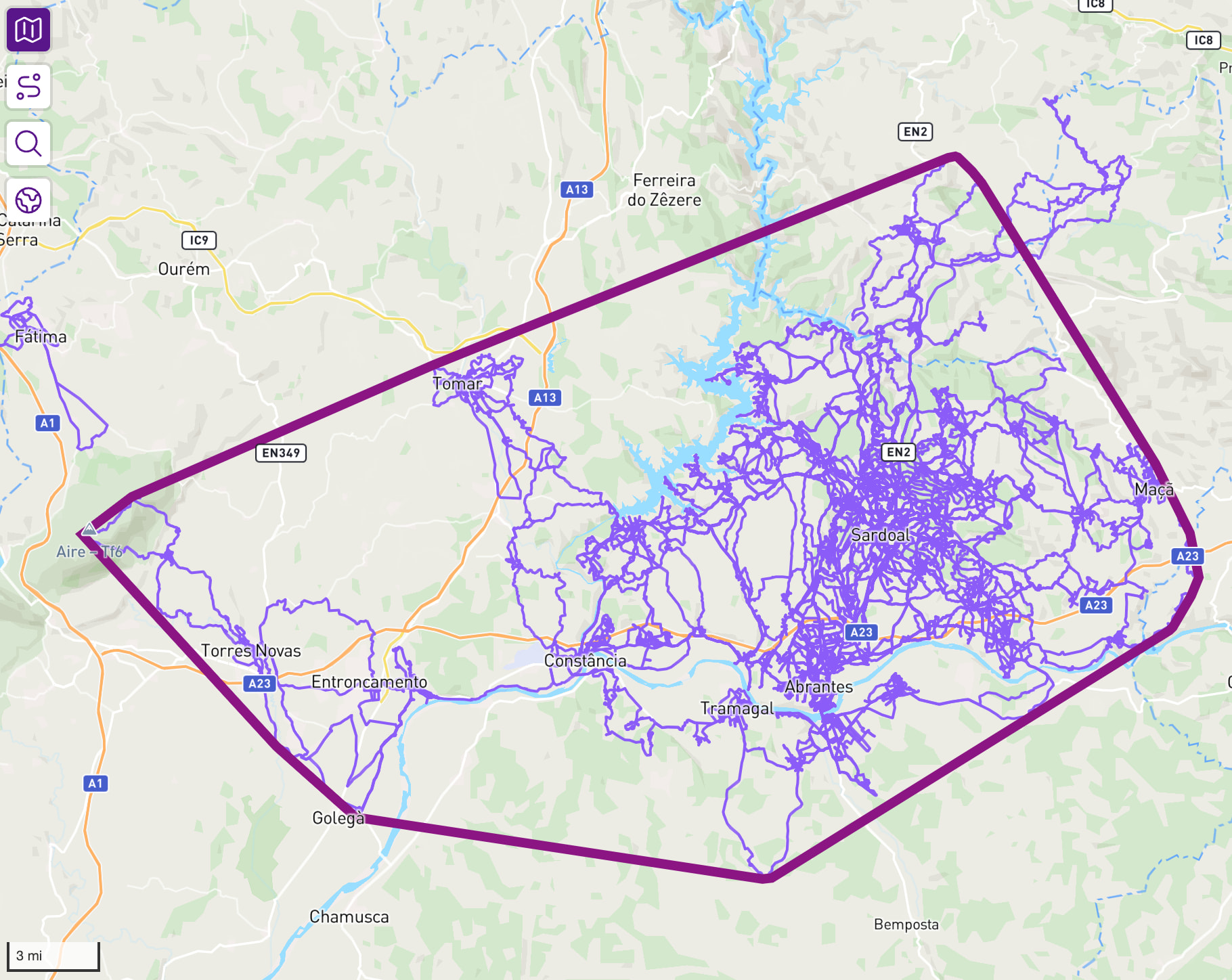
 so it’s correct!