Hi, I was fairly sure I saw this somewhere sometime but as I tried to look up the status of this idea I couldn’t find it anywhere so here it is (hopefully not again):
At this moment I rarely use the route builder myself because of two reasons:
1/ No direct synchronisation with my garmin watch (discussed elsewhere)
2/ Far more important, in my personal opinion: no ability to edit the track aside from “undo”. If you make a long track and you notice you made an error at the start of middle of your track, you have to start from scratch.
In the website I currently use, dynamic.watch , you have these nodes which you can move afterwards. By double clicking the track you can also add extra nodes afterwards, which can be quite helpful to add that extra loop around a block, or make sure the route takes the right turn, etc.
So I currently end up splitting my screen with one CityStrides lifemap window and one dynamicWatch window, which is doable but not the most practical.
Aside from the combination with our lifemap obviously, I also like your route builder for showing the direction of movement. I would definitely use it more, or possibly all the time, if there was this possibility to edit the route.
I realise this isn’t the easiest to implement and might not even be possible. Either way, thanks in advance.
Great idea!
I’ve thought about this many times as well.
Sometimes I’ll make several routes of an area but while I run them I might change the route a bit on purpose or by mistake, and then I would really like the ability to edit the other surrounding routes to avoid further mistakes on the next couple of runs.
Just re-surfacing this as I too would benefit greatly from either editing or extending a saved route. Is there anything in the pipeline regarding editing @JamesChevalier? I’m sure you have quite the log of things you want to do, so thanks for entertaining this one.
I would also like the feature to edit a run (as in google maps where you can drag a node to a new location). If that is a prohibitive amount of work to implement, I would LOVE a keyboard shortcut to undo a step on a route instead of having to do it by mouse click every time.
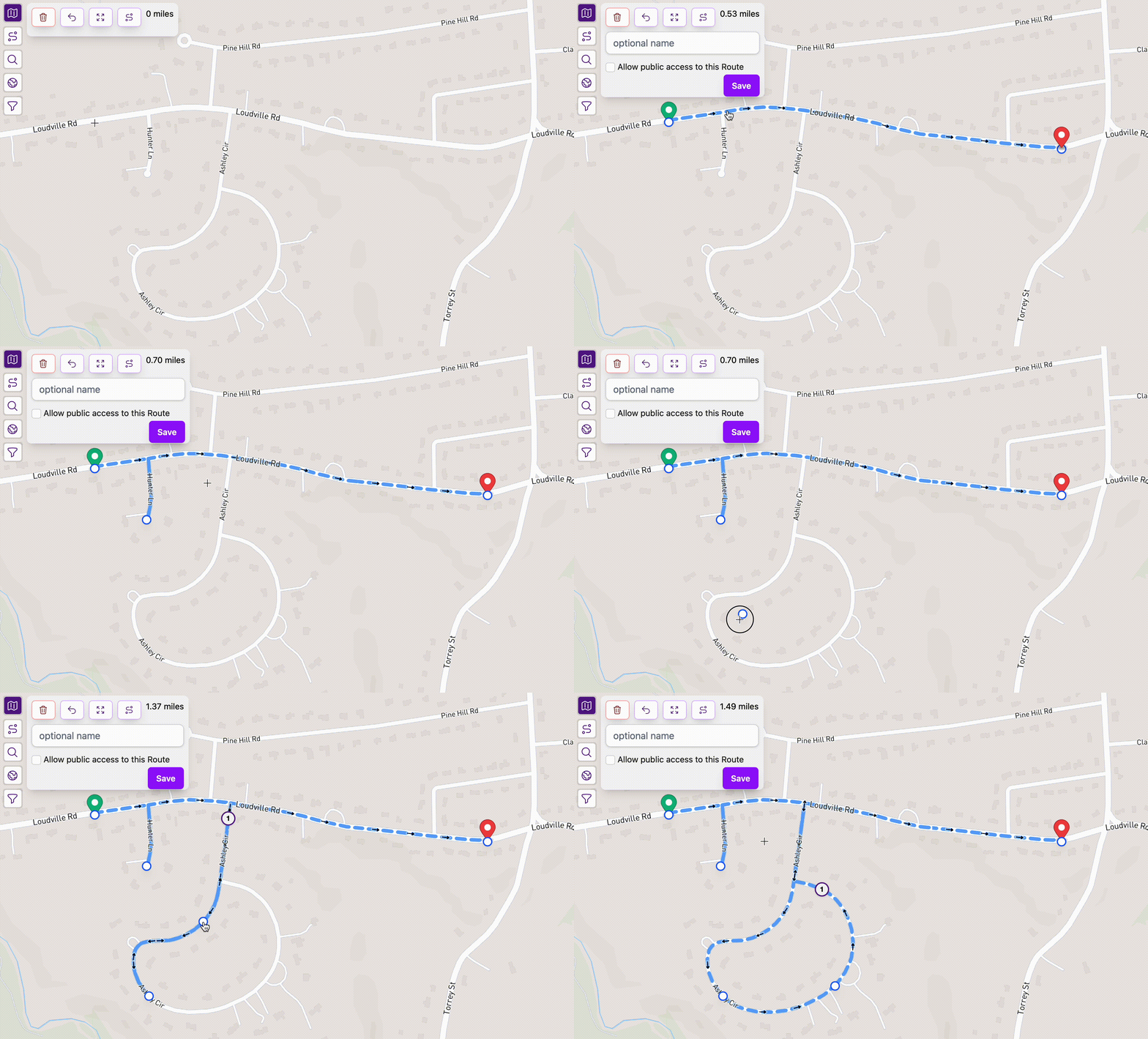
I worked on this a bit yesterday/today and came up with this… Does this match how you might expect Route Builder to behave?
I had a version that would drop one of those markers automatically, for each click of building the route, but I didn’t like how random they ended up being.
I also had a version where you could just drag the route however you wanted, and it would automatically reroute things through the new location. That ended up being confusing to work with, where it wouldn’t do what I expected all the time.
I suspect that this version may have some unintended side effects within the downloadable GPX files. I’m thinking that people’s routing directions (if they have them on their device) might end up directing them to each individual point. I’ll need to look into that.
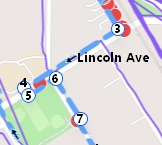
This will certainly help with route building. It would be great if there was an option to delete a point, though I suppose it’s easy enough to drag it back to where it was created. As a bonus, the circles are really handy for putting a sequence number if you copy the map to Irfanview.
The main reason I skipped the point deletion was needing to decide on an interface for that. On desktop we have right click, but on mobile tap and hold and hope? Or any click/tap on an existing point deletes it?
There should be mile/kilometer markers along the route to pair with the arrows to identify directionality. I’m unsure how numbering the points helps here…
Your vision must be way better than mine. The arrows never helped me much, especially on routes with a lot of turn backs. The numbers serve as turn by turn directions for me and I’ve been adding them and my own larger arrows pretty much since day 1.
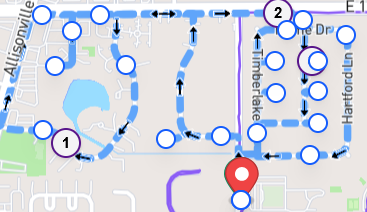
Any thoughts on making the dots toggleable? I am zoomed out a little in this screenshot, but I could see them blocking a lot of the route if you need to do a lot of points for whatever reason. And they can easily block the whole route if you zoom out a lot.
I just released an update that completely removes these extra points.
You hover over the route & the cursor changes to a grabber. While clicking/dragging to your new point, a small indicator appears under the cursor to give you a sense of purpose in the world and it goes away when you let go, leaving only your perfect route and the feeling of success.
While writing this, I got to wondering about destructive editing mid-route. All of the work I’ve done so far has been focused on adding to an existing route, but I suppose there could be some situations where we’d want to e.g. remove a trip down one street in favor of a trip into another area … for a visual example, maybe removing the dead end in the top left of your screenshot in order to decrease the distance.
Edit: Ugh, there’s a bug that breaks multi-click routes (so like all of them) where dragging a section of a route ends up splitting the route into two separate pieces. I’m working on a fix now. Update: That’s fixed.

 I suspect that this version may have some unintended side effects within the downloadable GPX files. I’m thinking that people’s routing directions (if they have them on their device) might end up directing them to each individual point. I’ll need to look into that.
 tap and hold and hope? Or any click/tap on an existing point deletes it?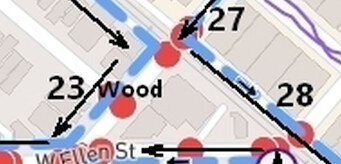
 and it goes away when you let go, leaving only your perfect route and the feeling of success.