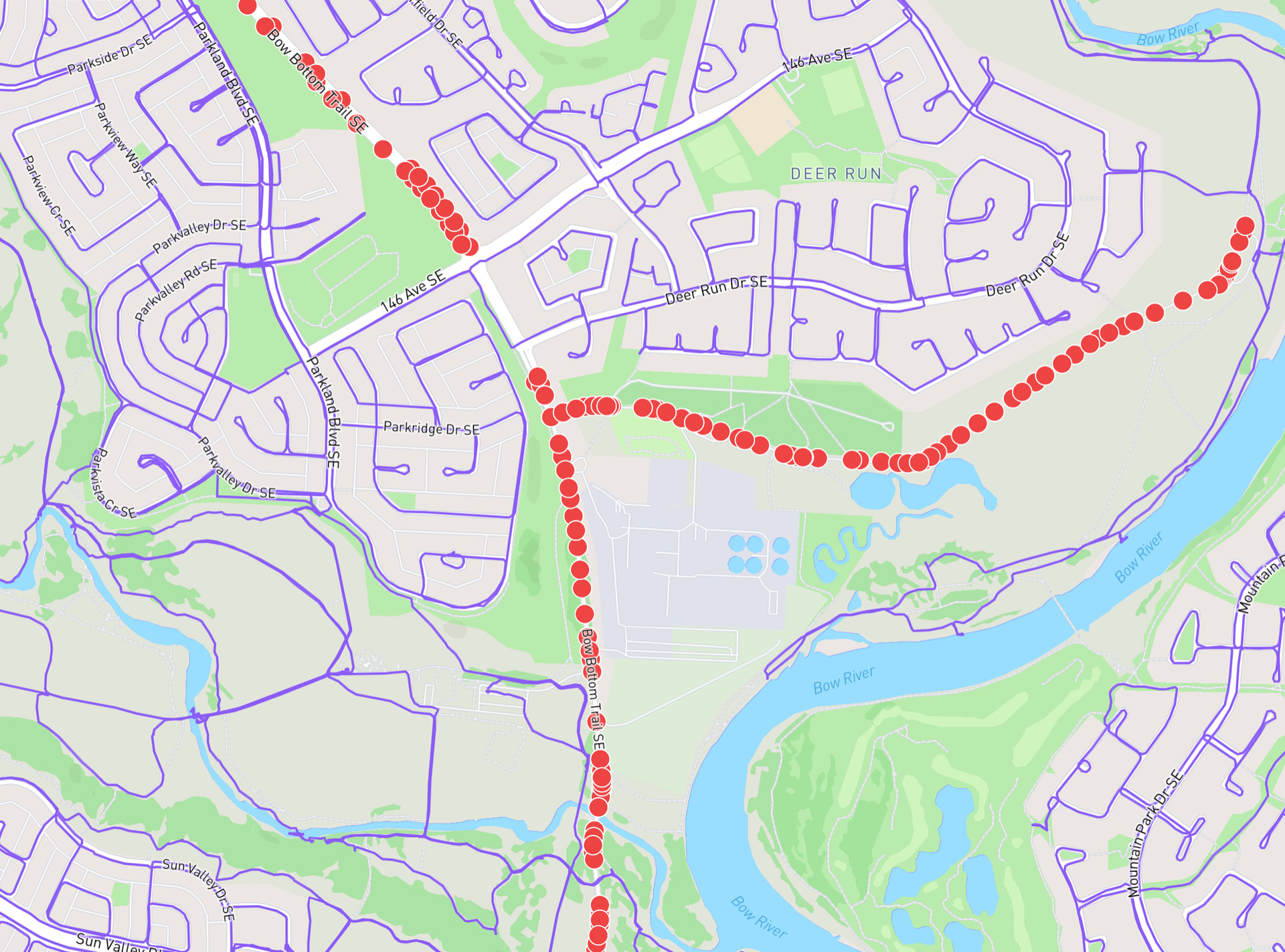
I’ve got a new version of Node Hunter that I’d like to have people test out. Reply with the link to your profile page if you’d like to be opted in (I can remove you from the test pool if you change your mind after using it). This is a Supporter feature, so Become A Supporter if you’re not already.
It’s a toggle instead of one-off request
You click the magnifying glass button to enable Node Hunter
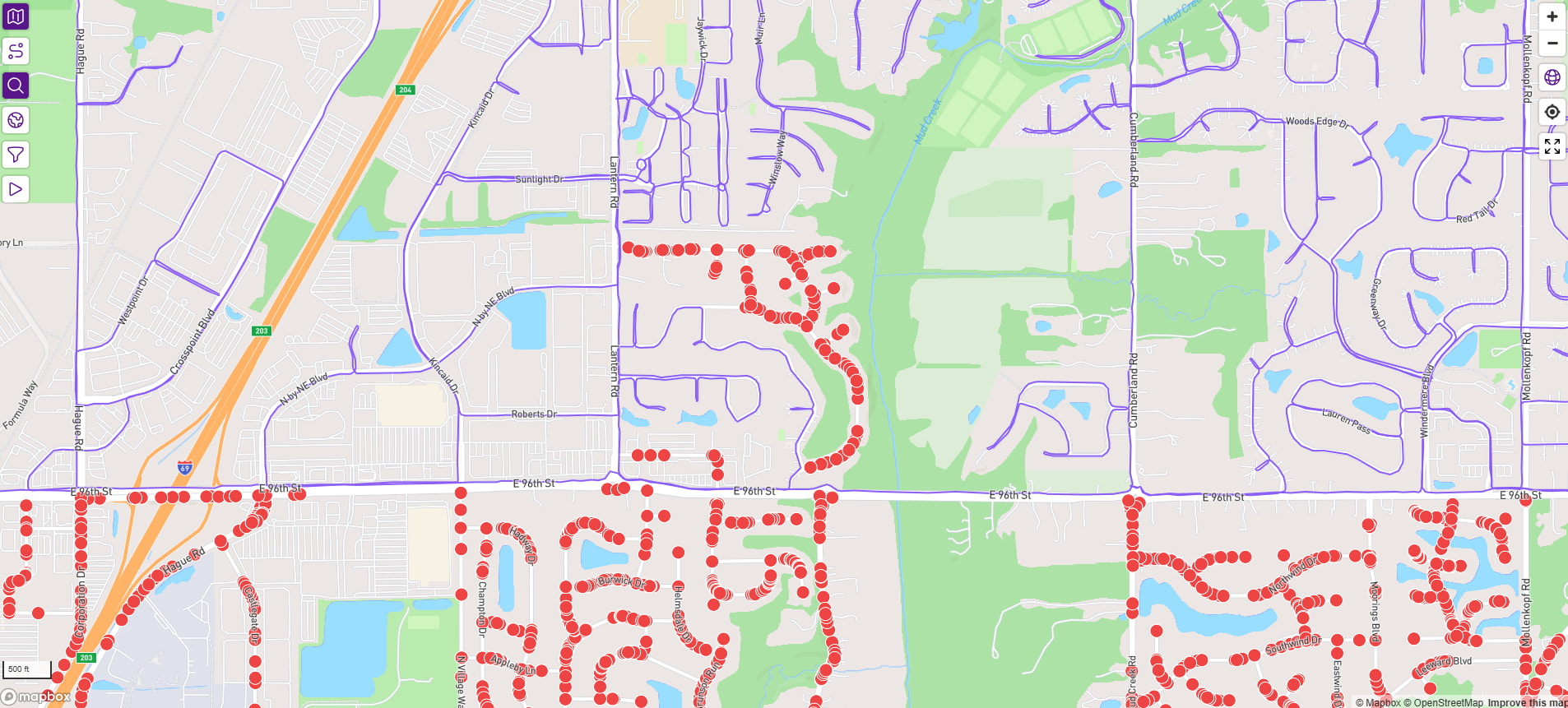
You can zoom/pan the map & new unfinished nodes for unfinished streets automatically appear in view
You click the magnifying glass button again to disable Node Hunter
It more accurately avoids overloading my database
There is no arbitrary 1000 node limit, so there’s no possibility of missing nodes
It only works below a certain zoom level
If you’re zoomed out too far, the button turns red indicating it’s not operational
When you click the button to enable it, if you’re zoomed out too far it automatically zooms you in to the usable level & displays the unfinished nodes there
I think it’s faster … it might just be because of some implementation details that it feels faster
My biggest concerns are:
I don’t know if this zoom limitation is going to be considered usable
I don’t know if my database is just gonna
Edit: I’ll emoji react to your profile link post rather than individually reply to everyone. Once you see the emoji reply, you can refresh the page to use the new Node Hunter.
Update: Jump down to my notes on the latest release - it’s a massive update that I think will address the concerns brought up in this thread.
Update: Just enabled this for 50% of Supporters. I can still add your account, if you’re not enabled & still want to try it out.
Update: Earlier today I enabled this for 100% of Supporters & sent out an in-site notice that it can be accessed after refreshing the page. Things seem to be going well!
It works well and I think the maximum zoom level is far enough out to be useful.
The downside is the use case of using node hunter to find the last nodes remaining in a city. I have to pan around the whole city to find them. The current node hunter will find the 9 streets I have remaining if I do it over the whole city even if I’m zoomed out this far.
Overall I like it but agree with @AndyS that there are use cases for the old version. For me, the zoom level is a bit too close for how I generally plan my routes. I don’t think that any of these are dealbreakers and I could get used to and enjoy using this new version, which I agree does feel faster…not sure which version I’d prefer in a world where you were unveiling this feature for the first time and we had to pick!
Yeah, first impressions is that the old functionality needs to (also) remain. Like at this point I can nearly node-hunt the entire lower half of my city and see all remaining nodes, as I get close to completion. That was really a great, motivating view.
I also live where there are very few streets outside of the city, so old functionality was better for those country roads.
I’m a little confused by why nodes are disappearing after they are queried. Can’t the browser just cache them? Like why not leave them drawn on my map, after I zoom out?
Yeah, larger scale planning where to go, mostly. And admiring my city. But yeah, like I can’t even see the entirety of some single streets at the current zoom level, e.g.
Less of an issue in tight neighbourhoods but the painful roads here are like 50 km long. Again, I can make do! But if my browser wouldn’t wipe the already downloaded nodes, you could progressively load them as I scroll? Or cache them completely for the city?
Edit: I think you are GREATLY underestimating the amount of time per week I spend simply admiring and scrolling over my lifemap.
It’s a bit of a limitation of the mapping software for this beta test.
The existing Node Hunter collects the bounds of what is visible in the browser & asks for all the incomplete nodes in that space each time you click the button.
This version works live as we’re zooming/panning around on the map. It’s sending requests for data for each given tile (you can visualize the tiles here) as they come into view.
I’m trying to understand how much of your planning work stays zoomed out that far.
I definitely start planning from pretty far out, as well (zoom level 12), but I find myself dropping down into the 15 area to do actual route building.
If you don’t actually work that far zoomed out - if it’s just that first click, then the rest is zoomed into a focused area - then I might be able to come up with some “first Node Hunter click is the existing version, second Node Hunter click is this ‘live’ version”
With Node Hunter?
If Node Hunter operated at this zoom level in the same area as your screenshot or the same level over here in this unfinished area, would that resolve anything? (editing any LifeMap URL to end in &13 will produce the same new limitation, if you want to look in other areas as well)
I might be able to go up one more level from 14 to 13, but that’s all … If 13 also doesn’t seem useful for you, then it doesn’t make sense for me to continue down that path.
After an extraordinarily quick look, I do like this – somewhat more than the old version, if forced to choose.
I do think users will be surprised by the “oops, you’ve zoomed out too far” behavior. The Node Hunter button turning red may be too subtle of a cue. A different ideas would be to have a warning pop-up (similar in spirit to the prior 1000-node-limit warning), stating that you’ve zoomed out too far for Node Hunter to operate.
When one has zoomed out too far, my preference would be for the previously-displayed nodes to remain, while including the new (empty) areas.
Mitch asked for that, too, and at the time I didn’t think it was possible but I was able to mangle together this:
I feel like this … works around the issue … but it doesn’t feel resolved.
Not that the 1k node limit resolved anything, either. That workaround is only safe for people who are almost done with their cities (are generally looking at maps with less than 1k nodes to run).


 )
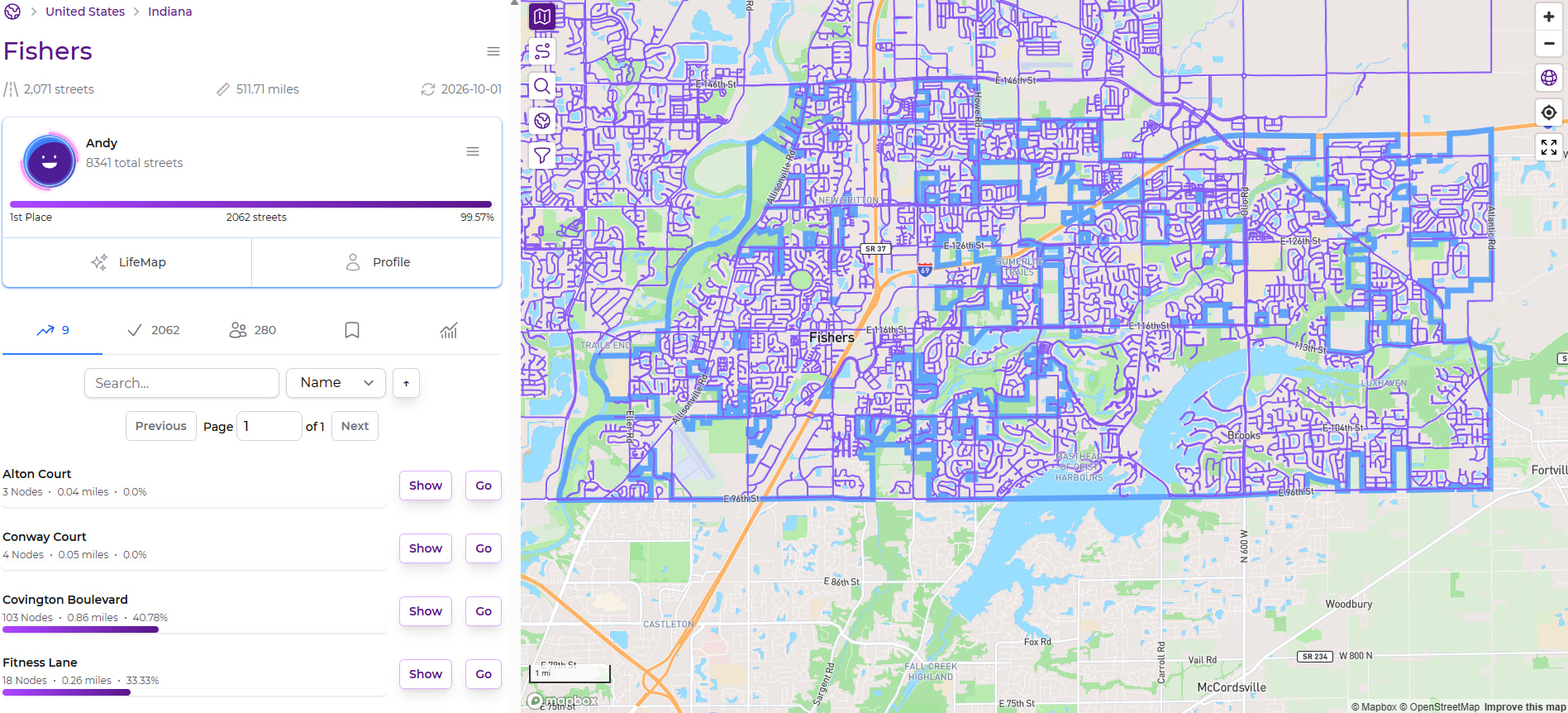

 What do you do at that super far out zoomed level? Do you do your route building/planning while zoomed out at that level?