So with the announcement made, is the “style switcher” button here to stay permanently? I still preferred having a one-click satellite view and find the new version tedious. I would prefer if the style switcher was a separate button from the satellite view…
2 Likes
The dark mode is unusable. How do I set the default back to “Regular”? (I am a supporter). Thanks!
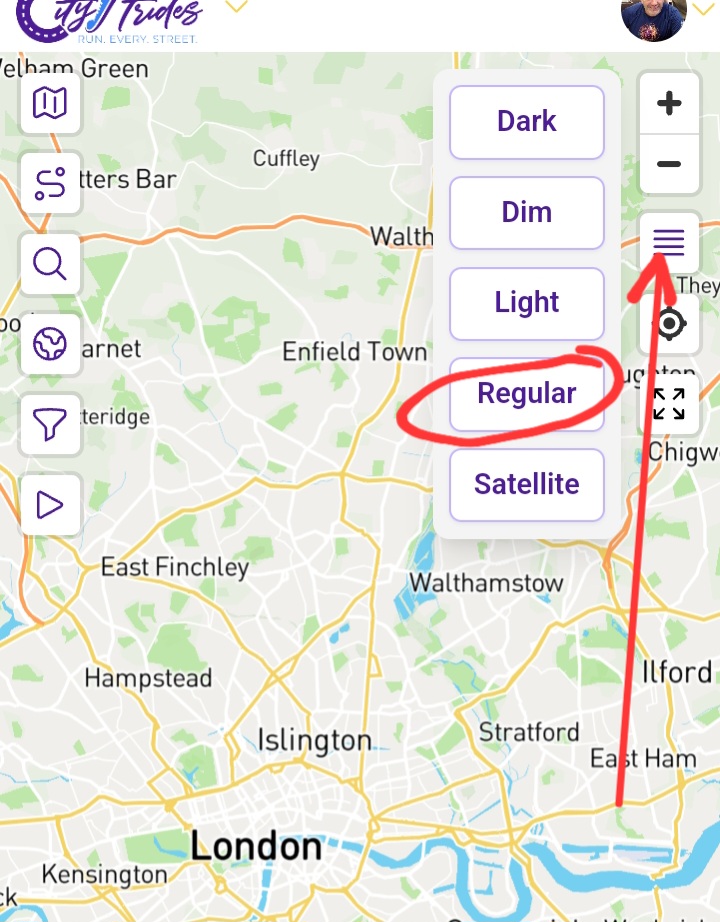
Go onto your lifemap page and click on the icon with the four lines. A pop-up menu will appear with different map options. Happy striding!
1 Like
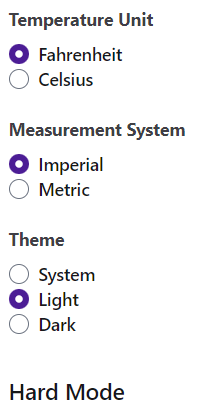
There is also an option for the entire site in the overall settings menu:
1 Like
DJ - that setting is changed with each visit which is why I was after a default override. I have tried Andy’s suggestion now - thank you both!!
The map’s dark mode version has gone through some changes recently - a lot of the activity was from Updates on December 11, 2023 (Release 947)
Just a few moments ago, I released another version of the dark mode map. It’s created off of the also-updated regular map. It leaves the buildings on the map, the hospital/school/etc zone coloring, and it doesn’t re-style any of the road layer. The base coloring is a bit less brown, and the street contrast is bumped a little. The street labels are placed back directly on the street, since our data sits below them now.
I’m hoping that anyone who likes dark mode maps will like this more. Let me know if you spot anything that can be improved, though!
For those of you who don’t like dark mode maps - I’m still interested in your opinions on how this new version can be improved. I learned a lot about how many of you use the maps in CityStrides in the thread I linked above - I’d like to continue that here.
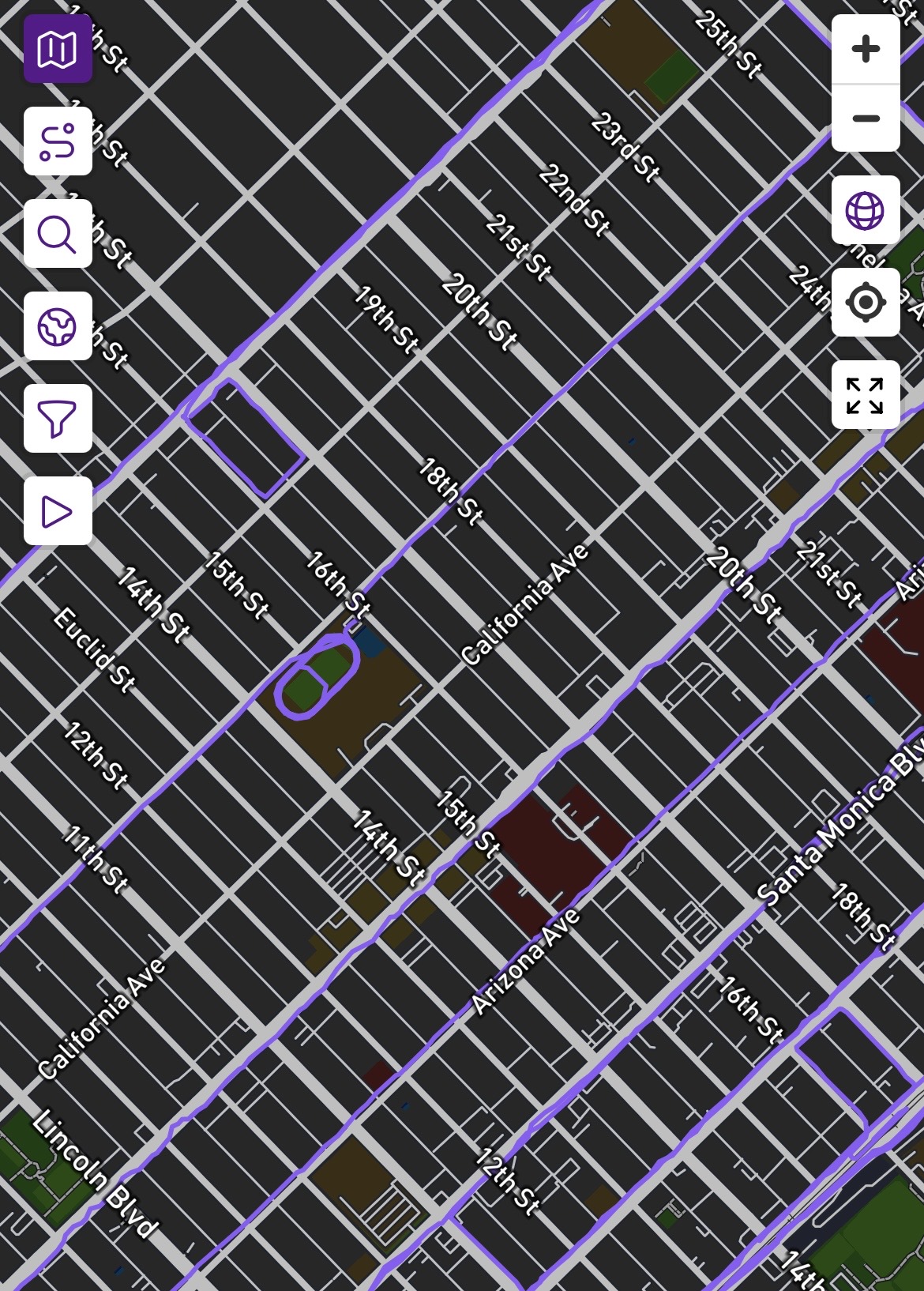
Hi, I’m coming to this thread two years later to say that I recently upgraded my account and I really cannot stand dark mode. It’s just too hard to see which roads I have run on and which I have not. I often select routes by just playing around with my LifeMap. In the screenshot below, for example, I need to strain to see that I’ve completed most of the avenues except for California and Idaho. I almost want to downgrade my account so I can use the normal-colored map 24/7. Please help!
Not sure I understand you correctly, but if you don’t like Dark mode, can’t you change it? In Settings - Mode, I have set mine to Light
Oh wow I feel like an idiot. I read this whole thread and my understanding was that it was not changeable but clearly I was wrong. Thank you!! smh
1 Like
Yeah, the contrast between the purple LifeMap and the dark map background is bad. 
I’m quite swamped with infrastructure work right now, but I’d like to look into whether or not I can adjust the LifeMap color based on dark mode on/off.
1 Like