Automatically Generate Routes

I’m pretty sure this was discussed at length years ago…or maybe again more recently and I missed it when I was injured…but how fun would it be to be able to select some portion of the map and have the most efficient route given from a particular starting point. How to select the roads or parts of roads and your starting point probably being some of the ui challenges. Another option being, given this starting point…give me the most coverage you can with a specified distance. I dont know probalby many ways to approach autobuilding stuff to fill out missing areas.

With agentic programming making things about 10x easier/faster to build and other AI improvements this feels much more doable than when it was being discussed back in 2020 or whenever. Of course its easy for me to trivialize something that is probably challenging either way :slight_smile:

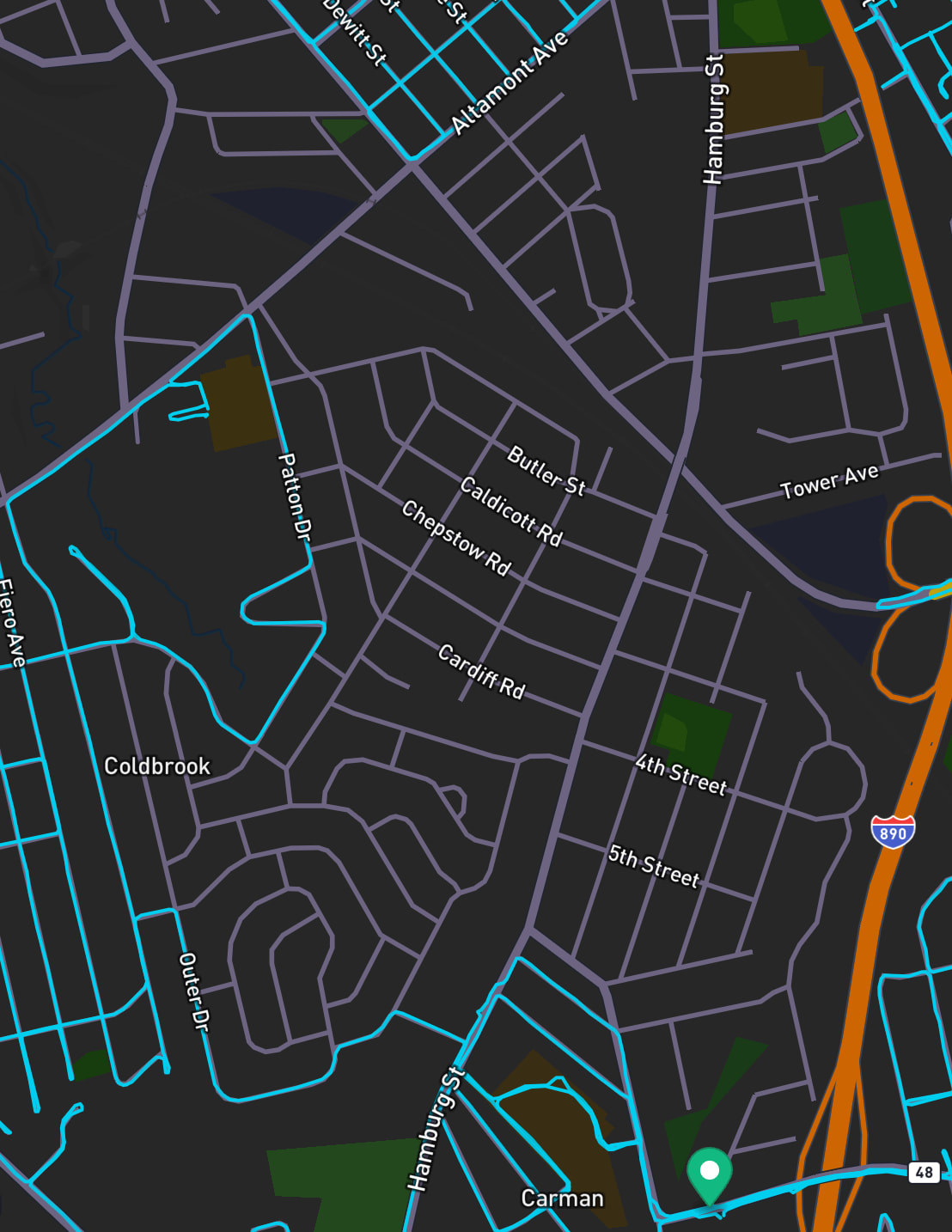
I look at a map like this…and sigh because I have to spend 20 min trying to figure out and build an efficient route…because as you get further away from home you have to get more efficient. Anyways this would be a fun challenge to take on right James??

1 Like

As James can tell you, I’ve been vocal about this and built a tool for myself. I run into the same challenges you outlined. In a city like Los Angeles, where grids shift into organic, topography-driven streets, it is difficult to determine the best way to cover an area.

I’m working to complete all of Los Angeles and want to be as efficient as possible given the time and effort required. About a year ago, I built a web-based tool that runs locally. This was before recent advances in Claude Code / agent-based coding, so there is room to improve it for sure. The main constraint is compute, from what I understand: this is a complex logistics problem that companies like FedEx, UPS, and DHL have spent decades optimizing.

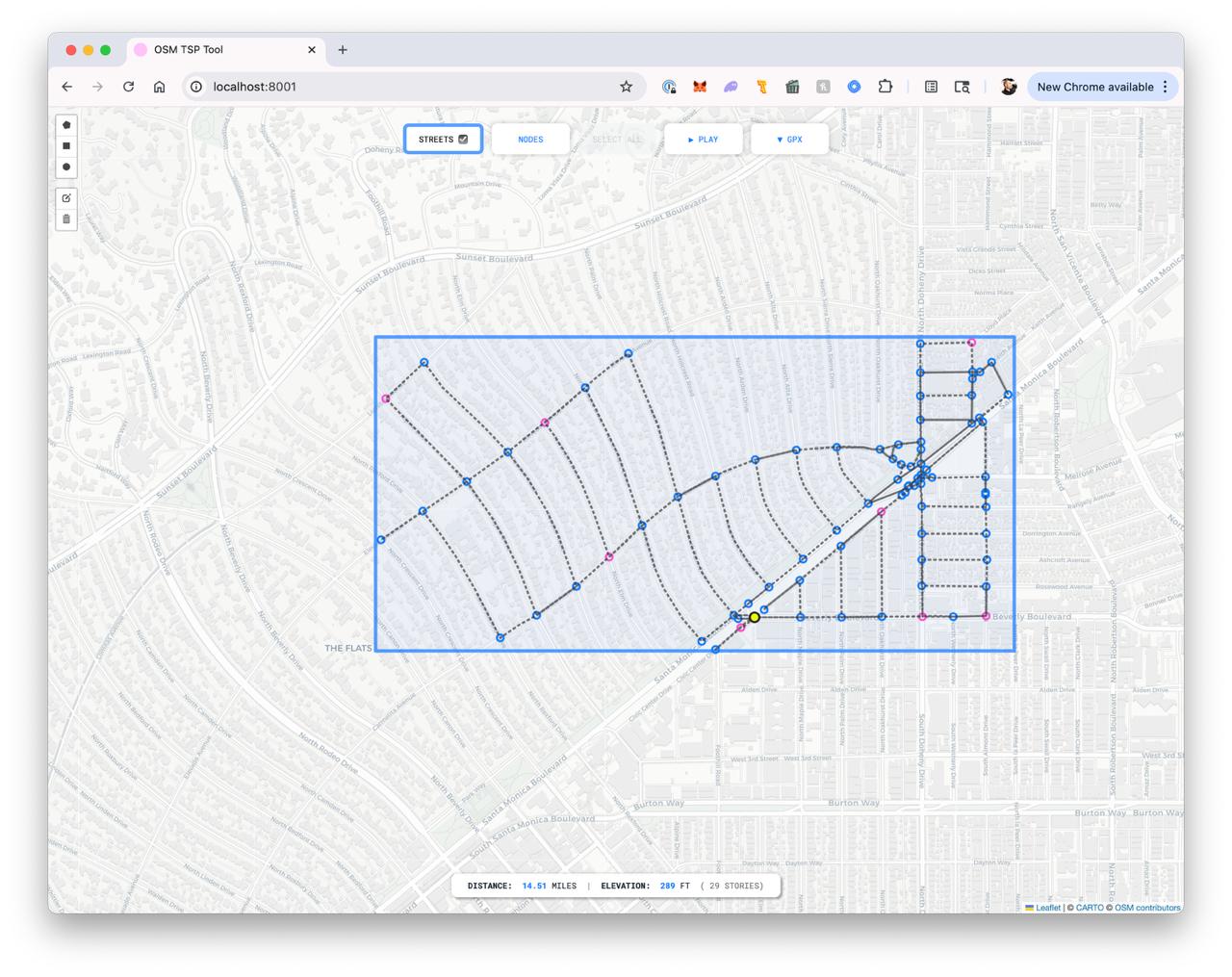
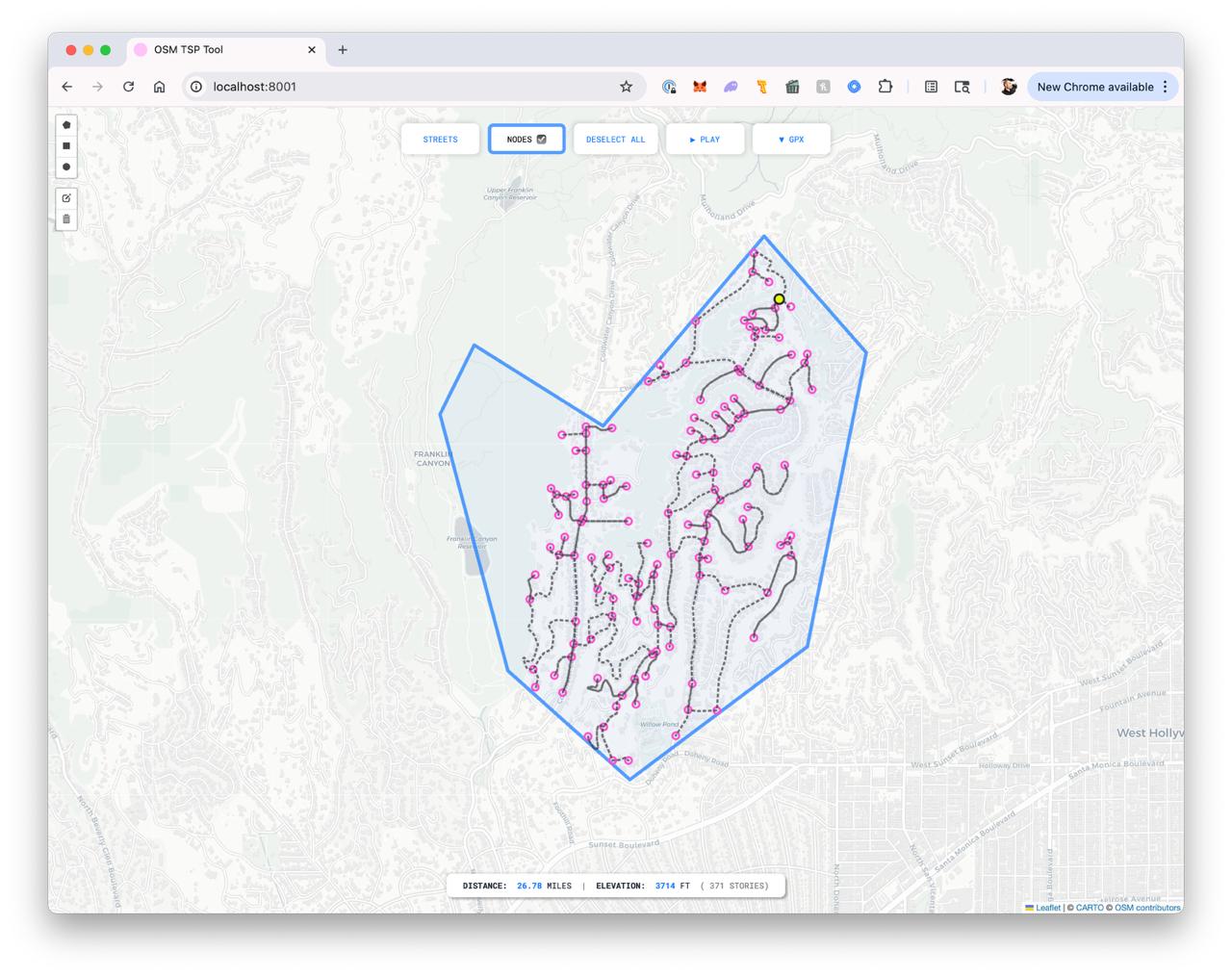
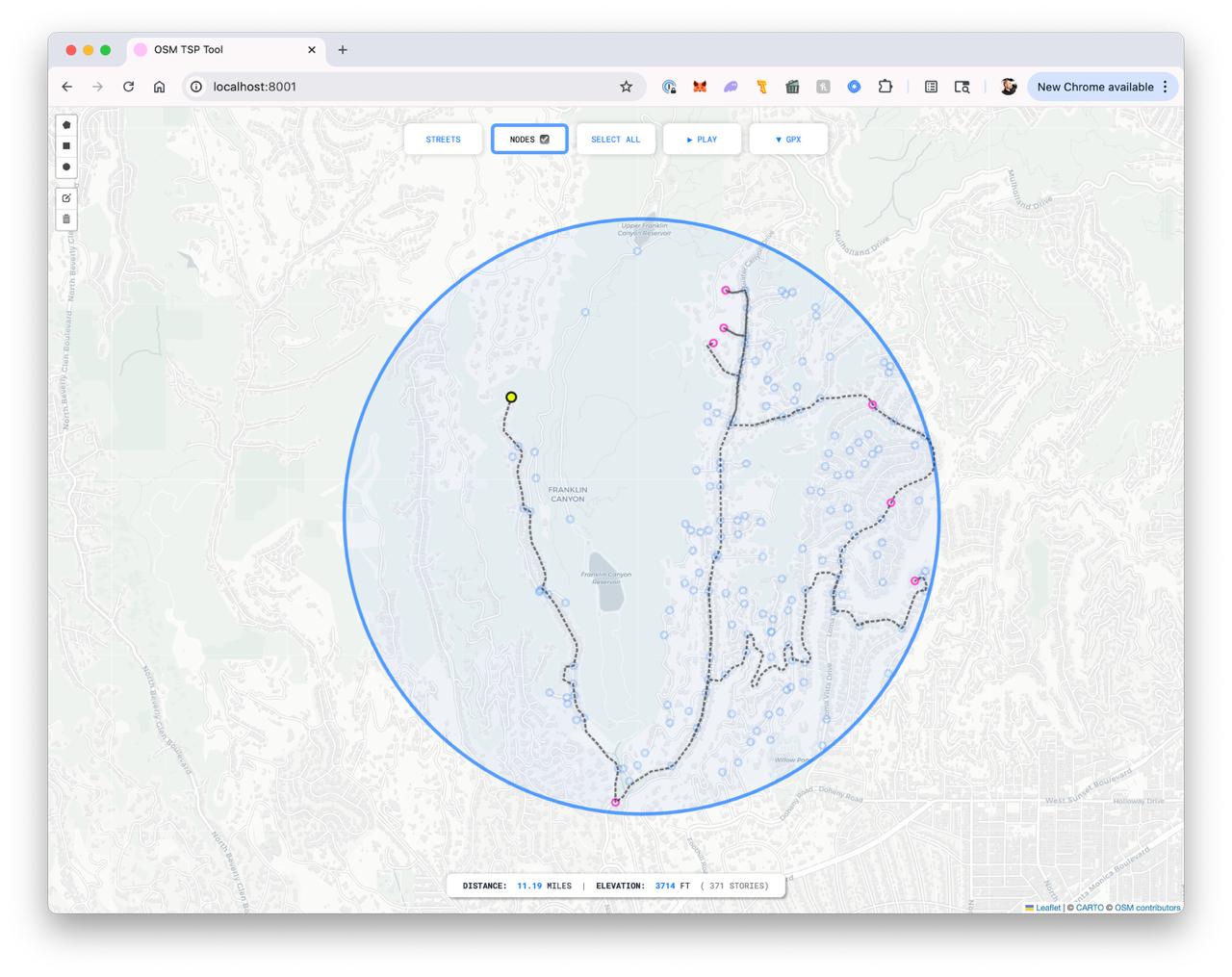
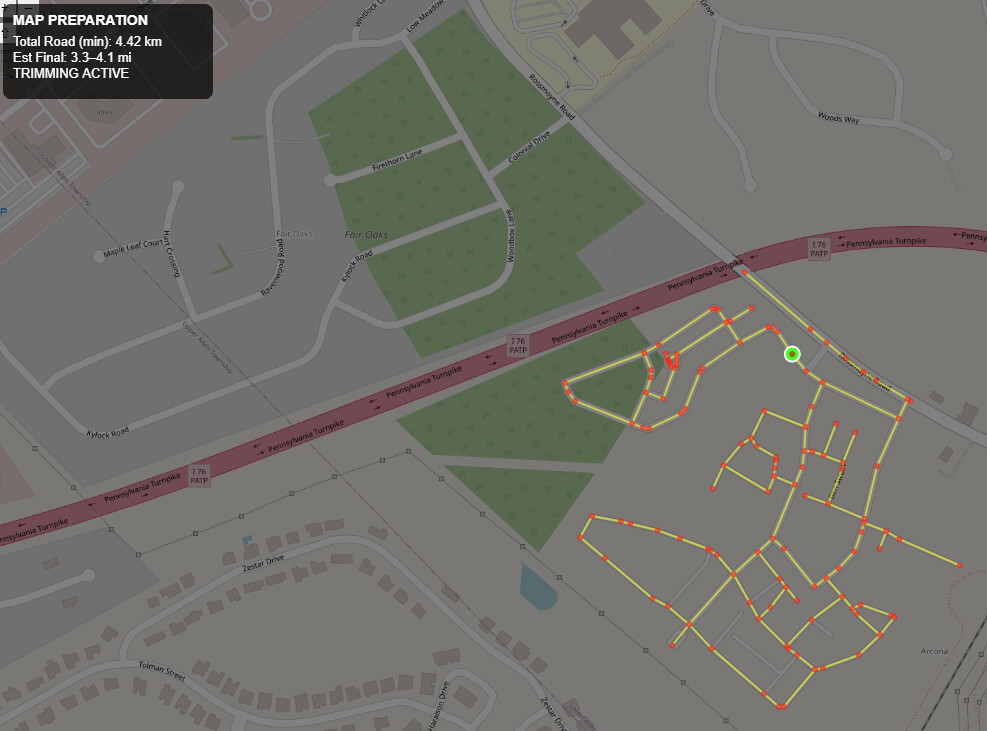
The tool outputs what you see in the screenshots. Simply, it calculates the most efficient route using two approaches, each based on a different model.

The first uses the Chinese Postman Problem to find the shortest closed path that traverses every edge, or street segment. This ensures full coverage if the goal is to walk every street and end up with a trace of the actual street plan.

The second uses the Traveling Salesman Problem to find the shortest route across a defined set of nodes. It determines the most efficient sequence to visit them, but it leaves some street segments uncovered, which I know irks a bunch of us in here (not me, so much, for the record).

The app is pretty simple to use. You draw a bounding area for your route. This can be a polygon, circle, or rectangle. You can then adjust the shape by adding points, dragging, and reshaping the bounding area, which is useful in areas like the Hollywood Hills where you may want to include or exclude specific sections.

The path is shown as a dotted line. When the route overlaps, the line appears denser, which makes it easy to track. I also tested directional arrows and a few other ux ideas to help, but prefer a more minimal interface.

Once the area is set, you can toggle between full street coverage and node-based routing. There is also an animation mode to preview the route, which helps at complex intersections and often reveals paths I would not have chosen manually.

When the route is finalized, I export it as a GPX file and load it into Strava.

I’m not sure there is a large enough audience to develop this into a full product, but I would value feedback from this group. If there is interest, I would consider pushing it further, especially if it could integrate with CityStrides down the line so everything lives in one place. At the very least, I’m happy to see I’m not the only one that fetishes over this stuff :sweat_smile:

And fwiw, I’ve been using it when I travel. I’ve used it all over Europe and the US, and I’m currently in Brazil and its making my walking practice so much easier - now if only I could program it to avoid high-crime areas!

Dean

4 Likes

Not gonna lie this looks great, definitely would love to use something like this.

1 Like

I agree, that looks great! :+1:

1 Like

@dean.disimone Do you have something that provides turn-by-turn directions while you’re out?
Without that capability, I can’t comprehend how routes like these are feasible without staring at them the entire time. I thought the last one looked like something easily memorized, but then I zoomed in and saw that there are tons of greyed out streets in there that would add confusion.


I’ve been thinking more about generated routes lately, and it seems to me that the generation of the routes is the easy part (even though it isn’t :rofl:). How we generate the routes is incredibly nuanced/specific and is where I really need the most feedback. It’s very easy for me to build the wrong route generator.

I really need to hear people’s expected workflow. Take these 4 wildly different processes… if I build one, and everyone expect another then I just wasted my time. :grimacing: :sweat_smile:

  • Full City Mode that doesn’t care about your legs or your soul :rofl:
    • Click point on map to identify starting position
    • Click button to have some number of routes created that will complete the city, from starting position, regardless of individual route distance
  • Right Now Mode that aims to get you out the door ASAP and doesn’t care about your city-scale efficiency
    • Click point on map to identify starting position
    • Specify distance
    • Click button to have a route created that will complete as many new streets as possible
  • Finish Area Mode that doesn’t know or care how far you’re capable of running
    • Draw area on map
    • Click point within area to identify starting position
    • Click button to have a route created that will complete the area
  • Helpful Assistant Mode
    • Click point on map to identify starting position
    • There’s an auto-updated display of a list of N closest incomplete streets from the last route addition (start point, manual route clicks, and additions from this tool)
    • There’s an ‘add’ button for each street in the list that updates your route to complete it
    • Manually build a route, while using the ‘add’ buttons to add generated segments

I’ve been at this long enough to know deep in my soul that the answer is “all of them” :rofl: :sob: but there’s definitely one or two processes that’s going to cover most people.
Right Now Mode & Helpful Assistant Mode (assuming it’s actually helpful) seem like pretty close matches to the comments in this thread. It sounds like @dean.disimone effectively built Finish Area Mode.

I’m sure these few ideas of different “modes” aren’t the only versions of an automatic route generator … If you have other ideas for different workflows, please do share.

I would use them all, but this is the order of what I would use most:

  1. Finish Area Mode
  2. Helpful Assistant Mode
  3. Right Now Mode
  4. Full City Mode

Routes that you load into Garmin watches give you turn by turn. This has been standard for years now on their better watches. Fenix/Forerunner/Epix models. Honestly once I got really into this Im not sure how I would do it without loading the routes into my watch and seeing where to go. The early days were much harder tyring to follow on a phone or memorizing things.

1: Finish Area Mode
2: Right Now Mode
3: Assist mode

Full City mode personally seems not useful at all to me without being able to specify a distance. Perhaps I dont fully understand it. I do think that you can keep evolving it with feedback and painpoints from users. Having different modes doesnt pin you into one solution, i like that.

Sorry I’m late to respond on this one. I’ve played with turn-by-turn directions when I felt it was necessary, but recall I’m not a runner. I’m a walker/hiker, so my pace is typically 4 to 4.5 miles an hour, which is a pretty good clip for walking, but never too much not to have a look at my phone. When I did try it, I found it pretty easy to kick out the GPX and let Strava tell me. But I’m not one that loves to have headphones in while I’m moving around, and to have my phone barking out directions also isn’t ideal for me. But that’s just me, and my situation may be quite different from others, given I’m in Los Angeles. It’s less discreet for me to take a look at my phone than for me to have audio on for people to hear, or for me to have headphones in and not be fully aware of my surroundings.

I appreciate the four options you’re presenting here, but the only one that I would use would be Finish Area Mode.

The way that I built my app is that I draw a bounding box because that’s most useful to me. I’ve walked enough to have a general idea of how much real estate it requires to get my eight to ten miles of walking in, and I’m progressing the city in a pretty specific way and the drawing tool allows me to exclude what I’ve already accomplished with the most ease…especially when streets get dense as they do in the Hills.

Once the geometry is drawn, it presents me with all the nodes within that zone. I have it built so that I can leave the default as all nodes selected, or sub-select a portion of the nodes and just accomplish those. Either way it will show me two options as I mentioned: one that covers all nodes, and one that covers all segments - each showing the most efficient way to do so.

Granted, I don’t always follow the most efficient because I have other drivers at times such as the time of day, elevation, and overall mood may override the most efficient. Where I find it coming in most handy is in the grids. I am trying to hit every segment most of the time and that truly helps.

Hope this helps, and interested in seeing how the greater group responds. I know I may be an edge case!

DD